What’s New in VIVERSE: April 2026 Release Notes

April’s updates focus on more ways to create, more ways to connect, and more tools to grow on VIVERSE. Whether you’re generating 3D assets on the go, tracking your partner earnings in your VIVERSE Studio dashboard, or helping your audience find you through push notifications, this month’s releases make the platform more useful at every step of the creator and player journey.
TL;DR
- Object AI in the VIVERSE mobile app — Generate 3D assets from a text prompt or image directly in the VIVERSE mobile app.
- Push notifications — The VIVERSE mobile app now delivers real-time alerts for social activity and 3D scan completions.
- Partner Program dashboard — Track estimated rewards, valuable plays, and RPM directly in your VIVERSE Studio, with new payout and tax info flows.
- Polygon Streaming Agent Skill — A new open-source skill makes it easier to integrate and control 3D streaming experiences in VIVERSE.
- Named camera views in Showroom — Give your 3D e-commerce camera angles meaningful names for faster navigation and management.
- Mission page — A dedicated space in the VIVERSE mobile app to track active campaigns, complete challenges, and check your progress.
- PlayCanvas engine updated to v3 — Worlds now run on the latest PlayCanvas runtime, with improved MToon shader support for avatars.
What’s New
VIVERSE Mobile App
Object AI — Generate 3D Assets on the Go
The Create page in the VIVERSE mobile app now gives you direct access to Object AI. Type a text prompt or upload a photo, and VIVERSE will generate a 3D asset for you in seconds. Your most recent creations appear right on the Create page under Recent Creations, so you can get back to your work without digging through menus.
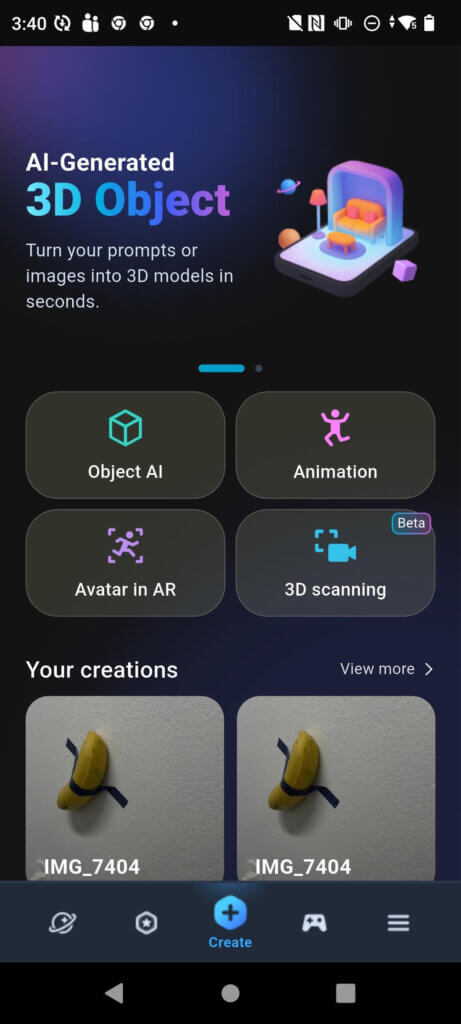
Note: ‘Object AI’ in the mobile app is actually using the machine-learning tool, Scene AI, for 3D Gaussian splat recreation of real objects. Learn more about VIVERSE’s stance on AI.
Mission Page
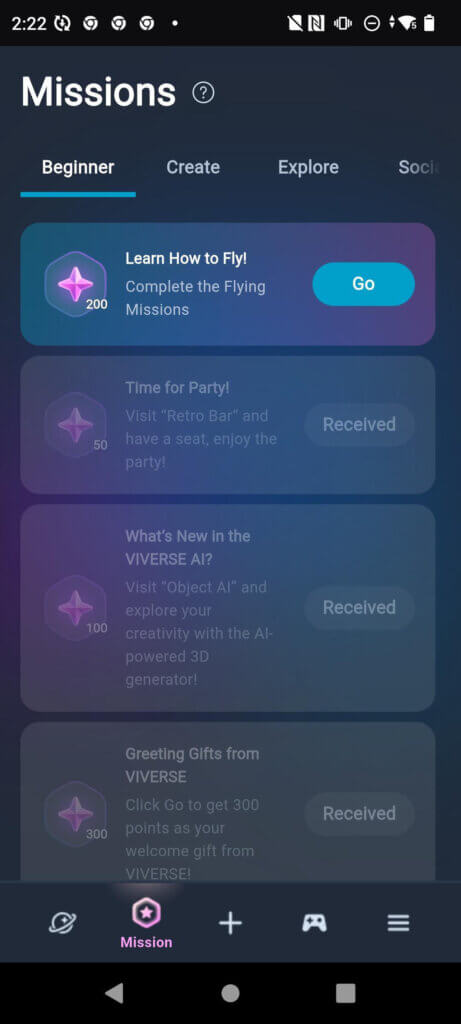
A new dedicated Mission page gives you a single place to track active campaigns, complete challenges, and check your progress across Beginner, Create, Explore, and Social mission tracks. Completing missions earns you points you can use across VIVERSE.
Cleaner In-App Browsing
Web navigation and the footer are now hidden when you’re browsing inside the app, giving you a cleaner, full-screen experience as you explore VIVERSE.
Profile Page UI Revamp
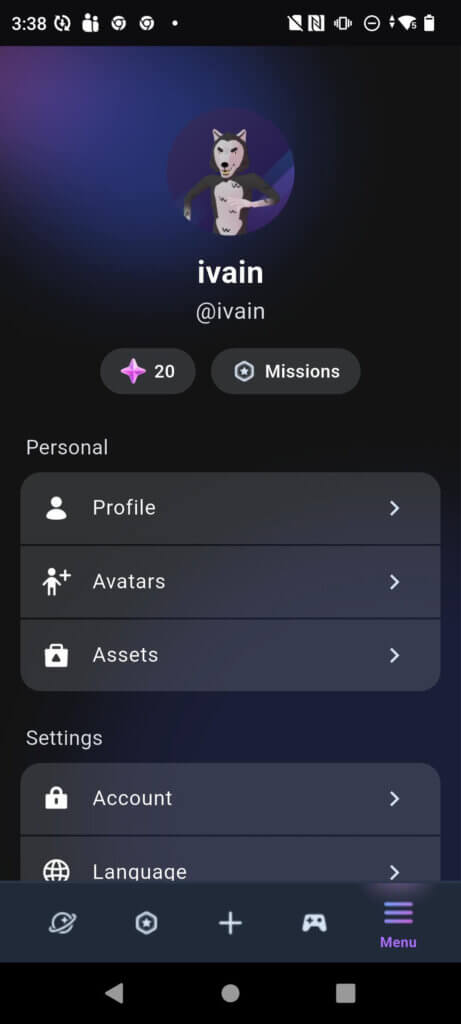
The profile page has been updated with a cleaner, more polished layout. Quick access to your Profile, Avatars, Assets, and Settings is better organized, and your points balance and Missions shortcut are prominently displayed at the top.
Community
Push Notifications — Social Activity
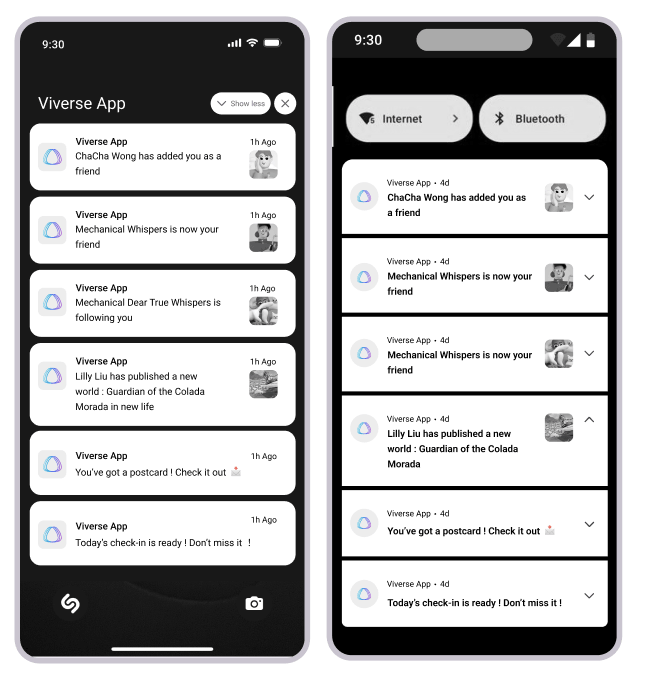
The VIVERSE mobile app now supports push notifications for social activity, so you don’t have to have the app open to stay in the loop. You’ll get notified when someone adds you as a friend, follows you, publishes a new world, sends you a postcard, or when a daily check-in is ready.
Avatar
Default Avatars for New Accounts
New VIVERSE accounts now get a default avatar assigned automatically at registration, so you can jump into VIVERSE right away without going through the full avatar selection workflow first. You can customize your avatar to your liking at any time from your profile.
Marketplace – 3D E-Commerce
Named Camera Views in Showroom
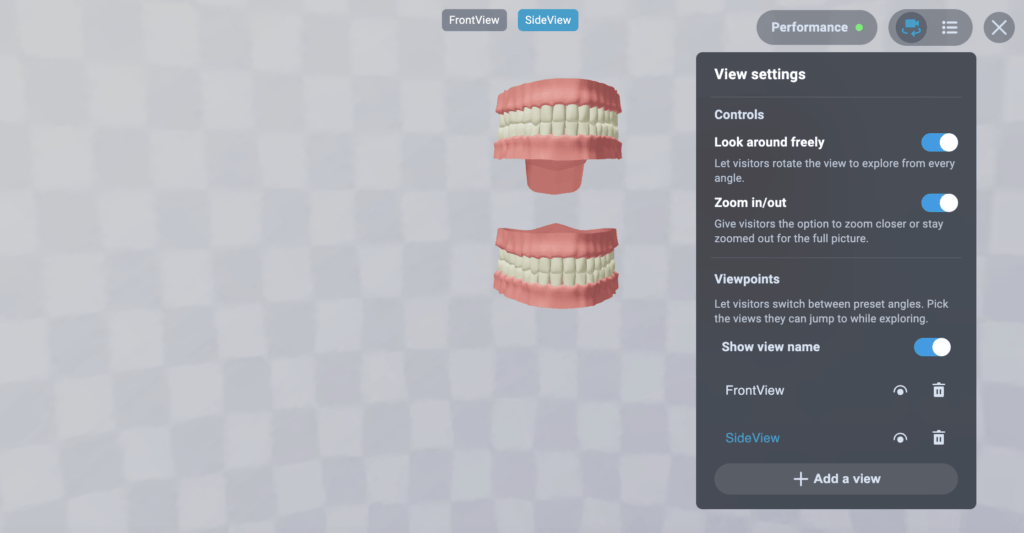
Showroom now lets you give your camera viewpoints meaningful names like “Entrance View,” “Product Close-up,” or “Full Showroom View” instead of relying on generic default labels. You can switch between named views, reorder them, and add new ones from the View Settings panel, making it much faster to navigate and manage complex product presentations.
VIVERSE Studio
Partner Program Dashboard
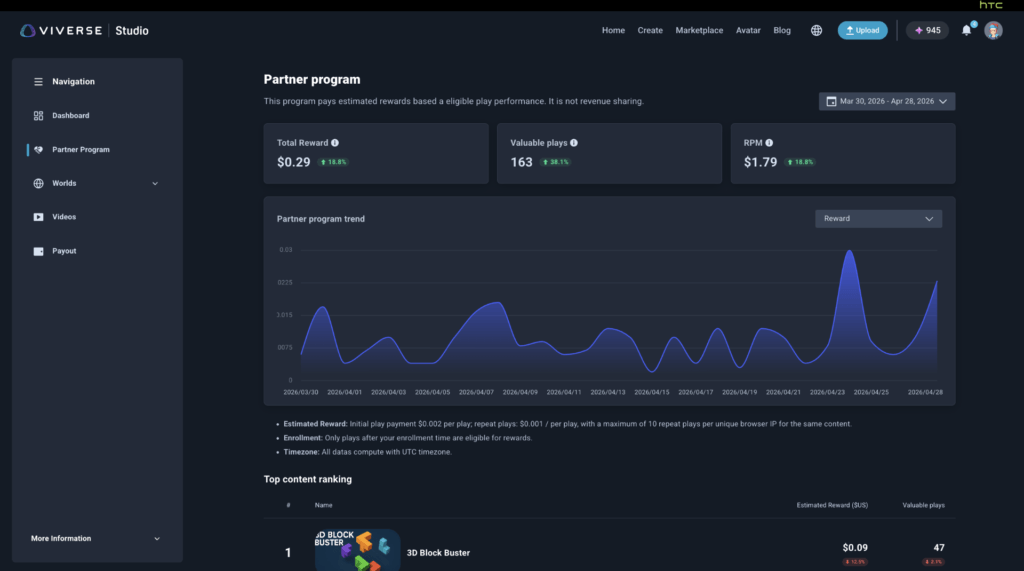
The VIVERSE Partner Program now has a dedicated dashboard in VIVERSE Studio where you can track your estimated rewards, valuable plays, and RPM over any date range. A trend chart shows your reward performance over time, and a top content ranking table breaks down earnings by content type so you know exactly which work is driving your growth.
Payout and Tax Information
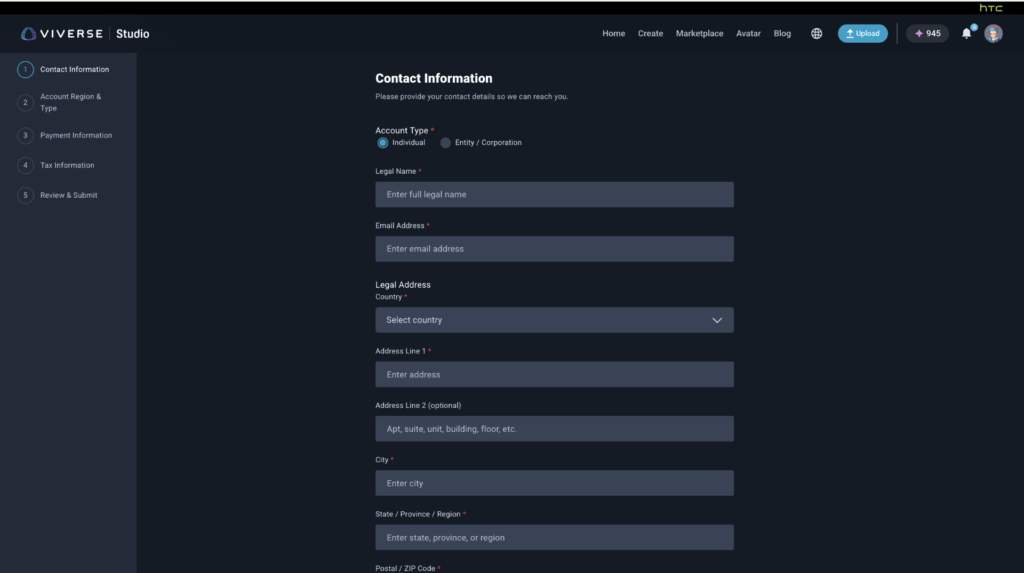
You can now set up your payment and tax information directly in VIVERSE Studio. A guided flow walks you through contact information, account region and type, payment details, and tax information so you’re ready to request a withdrawal when your balance hits the threshold. The new Payout tab shows your current balance, withdrawal history, and cash-out processing details.
Creator Profile — Following List Visibility
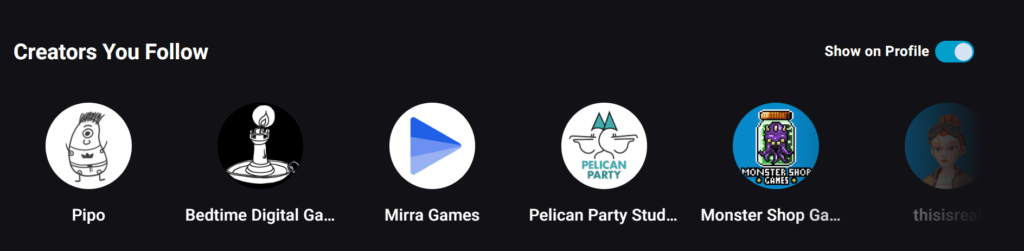
You can now control whether the list of creators you follow appears on your public profile. Your following list is always visible to you, but it will only show up on your public profile if you turn on the “Show on Profile” toggle. Other users visiting your profile can see which creators you follow and browse those creators directly from your page.
CLI Upload Size Increased to 3 GB
The VIVERSE Studio CLI now supports uploads up to 3 GB, giving developers more headroom to publish larger, more detailed worlds and assets without hitting size restrictions.
Polygon Streaming
Agent Skill for Polygon Streaming
A new open-source Agent Skill for Polygon Streaming is now available on GitHub, designed to make it easier for developers to integrate and control 3D streaming experiences within VIVERSE. Upload your 3D model and use the skill to embed large-scale, high-quality 3D content into your experiences — useful for immersive environments, detailed product showcases, and anywhere high-fidelity visuals matter.
View the Agent Skill on GitHub ->
Platform & SDK
Push Notifications — 3D Scan Ready
The same push notification system that alerts you to social activity now also notifies you when your 3D scan is ready. Start a scan, put your phone down, and you’ll get a notification as soon as processing is complete — no need to stay in the app and wait.
PlayCanvas Engine Updated to v3
Worlds now run on the PlayCanvas v3 runtime, the latest version of the engine powering VIVERSE experiences. If you maintain a world built on the PlayCanvas Toolkit, PlayCanvas Toolkit changelog for details on what’s changed and any migration notes.
MToon Shader Support Improved
MToon shader support for avatars has been updated as part of ongoing work to improve rendering fidelity. If your avatar uses MToon materials, you may notice improved visual accuracy in VIVERSE Worlds.
Play Button Updated on Mobile Web
The play button for VIVERSE content in mobile browsers is now more visually clear and easier to tap, making it more intuitive for visitors to jump into your game from a browser on their phone.
Improved Thumbnail Video Preview
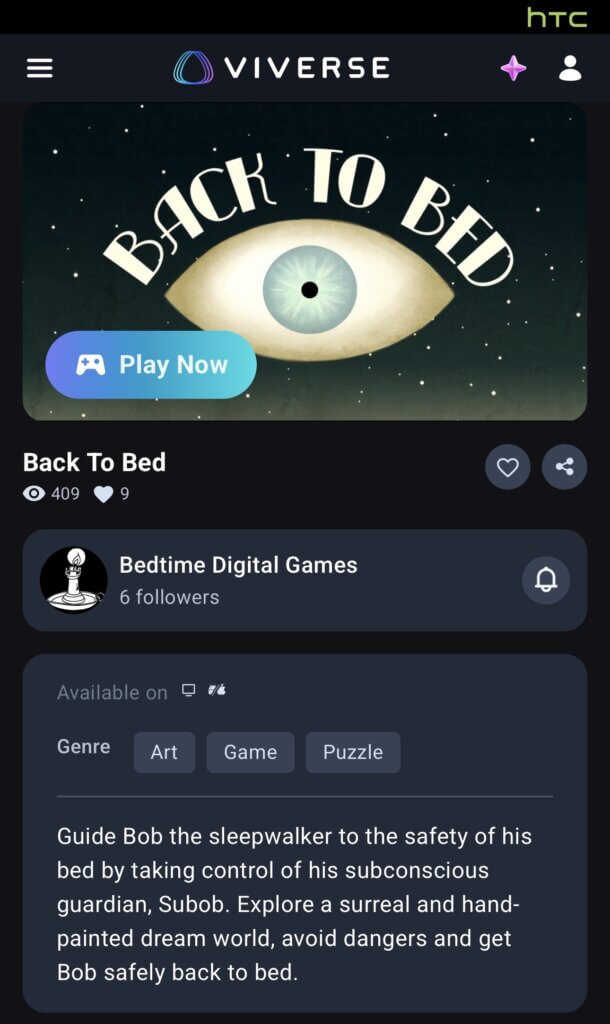
World cards on web now show a more responsive video preview when you hover over a thumbnail, covering both video trailer and video content types on desktop and mobile. This makes browsing feel snappier and helps your world’s video content do more of the selling before a visitor even clicks through.
Wrap-Up
That’s it for April! If you’re in the Partner Program, head into VIVERSE Studio to check your dashboard and get your payout information set up. If you haven’t tried Object AI yet, open the VIVERSE mobile app and generate your first 3D asset from a photo or prompt. And if you’re building with Polygon Streaming, take a look at the new Agent Skill on GitHub.
Curious about previous updates? Check out VIVERSE Updates.
Join the Community
Bluesky | X / Twitter | YouTube | LinkedIn | Instagram | Facebook | TikTok