What’s New in VIVERSE: May 2026 Release Notes

May focuses on the journey from creating to publishing: a redesigned path from Create into Studio, a single place to manage everything you make, and more ways to control how your work looks and gets found. Whether you are creating or exploring, this month makes VIVERSE easier to navigate and a lot easier to publish on.
TL;DR
- Redesigned publishing journey takes Create straight into Studio with a cleaner, drag-and-drop flow and three clear content types.
- Unified Content tab brings Experiences, Games, and Videos into one place in Studio.
- Smarter content settings add an updated genre list, fully custom tags, and a content language option to improve discoverability.
- New branding and fullscreen controls let you choose where the VIVERSE logo sits on mobile and desktop and add a fullscreen button to embedded content.
- Upgraded video player lets you like, share, and comment without leaving fullscreen, with richer info on externally embedded videos.
- Refreshed web header and side menu put search front and center with a slimmer, collapsible side menu.
- New daily Mission quests reward a daily check-in and a Marketplace task with Mission Points.
What’s New
Creator Studio
A unified Content tab
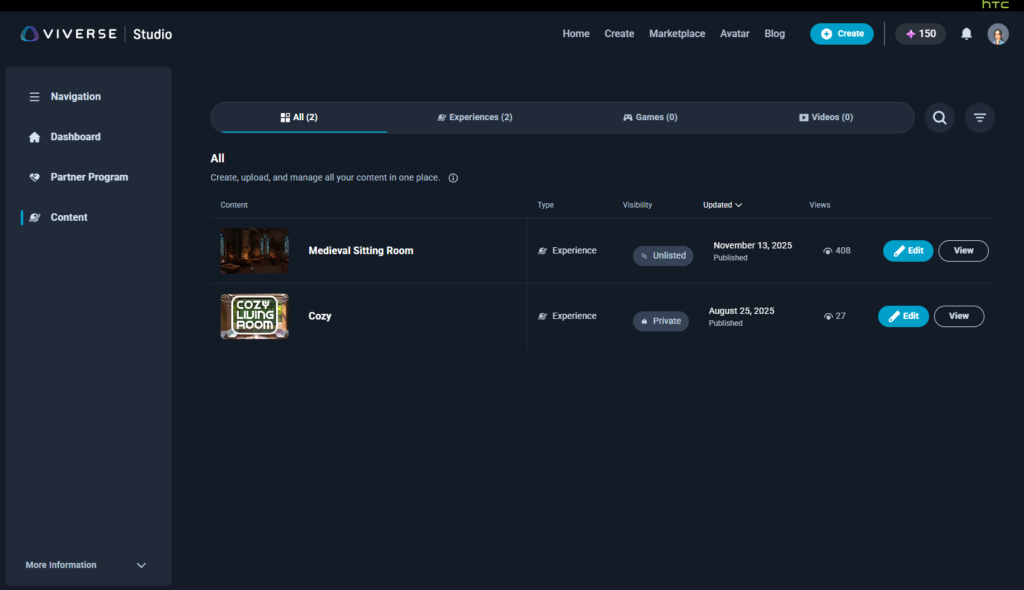
Your content now lives in one place. Studio’s new Content tab brings Experiences, Games, and Videos together under a single view, with filters for All, Experiences, Games, and Videos so you can create, upload, publish, and edit everything you make without jumping between screens.
An updated genre list
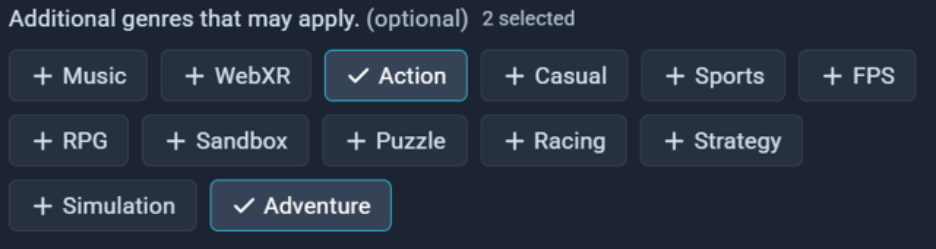
When you set up your content, you can now choose from an updated list of genres that better matches what you are publishing. Picking the right genres helps the right players find your work.
Fully custom tags
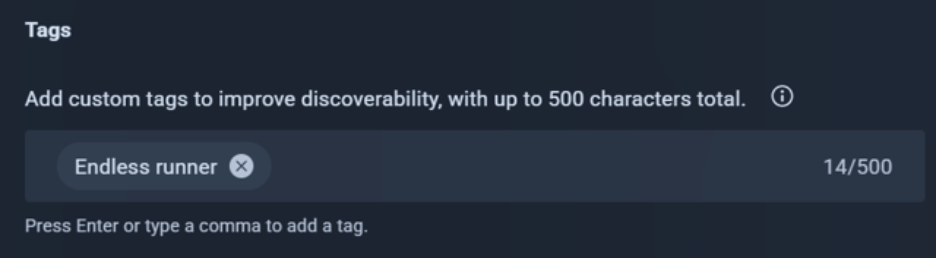
Tags are now completely custom. Add your own keywords, up to 500 characters total, to describe your content however you like and improve how easily it is discovered. Press Enter or type a comma to add each tag.
Updated content permissions
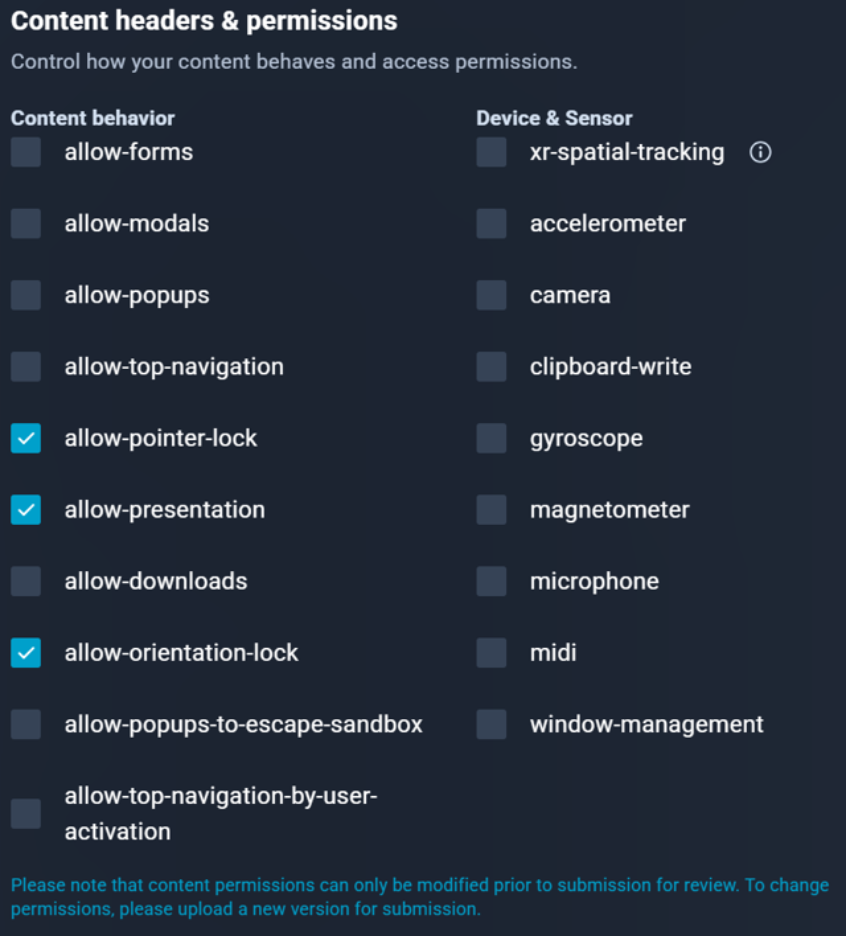
We refined the default permissions for your content. Pointer-lock, presentation, and orientation-lock are now enabled by default, and we added clipboard-write support. Keep in mind that content permissions can only be changed before you submit for review; to update them afterward, upload a new version for submission.
Content Settings
Logo overlay placement for mobile and desktop
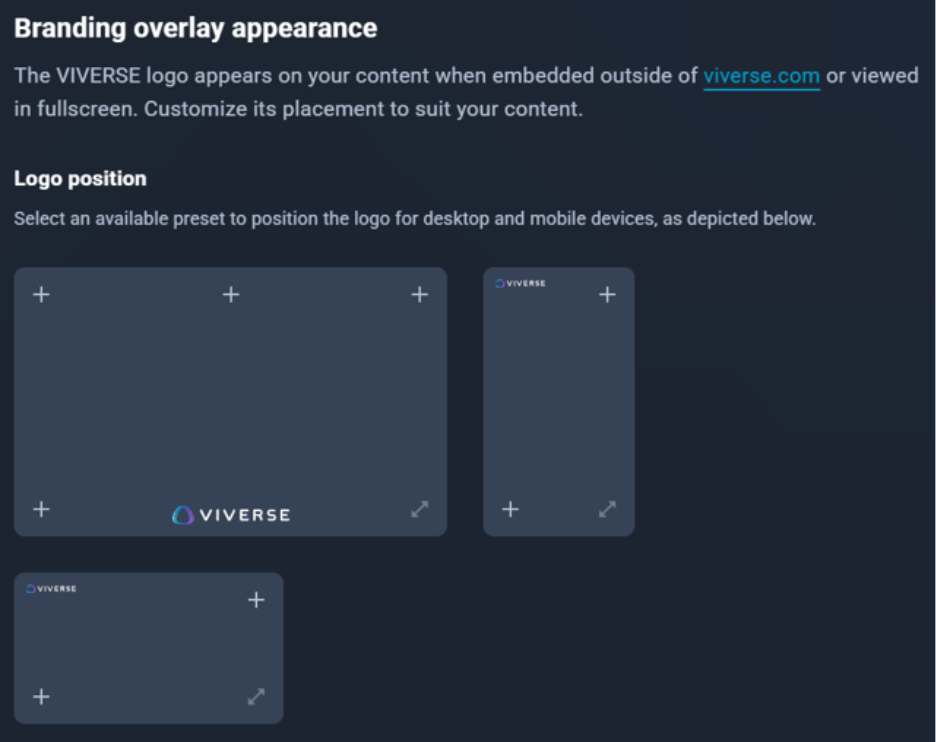
You can now choose where the VIVERSE logo appears on your content, with separate placement options for mobile landscape, mobile portrait, and desktop. This applies when your content is embedded outside of VIVERSE or viewed in fullscreen, so you can position the branding to suit your layout.
Add a fullscreen button overlay
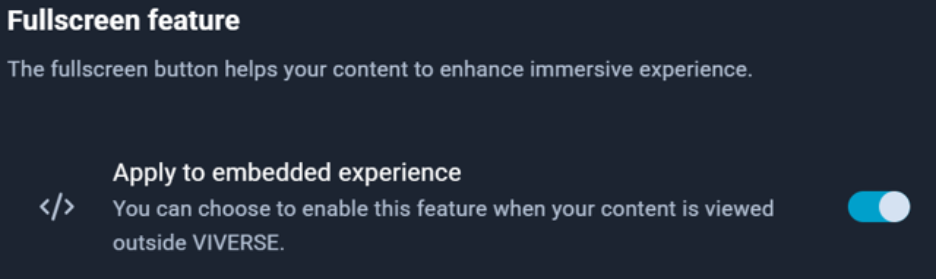
You can now add a fullscreen button to your content by default in fullscreen and embedded modes, making it easier for viewers to jump into a more immersive view. You can also choose to enable it specifically when your content is viewed outside of VIVERSE.
Set a content language

You can now set a primary language for your content to help the right audience discover it. Choose the language that best matches your experience, game, or video in content settings.
Web Experience
A refreshed web header and side menu
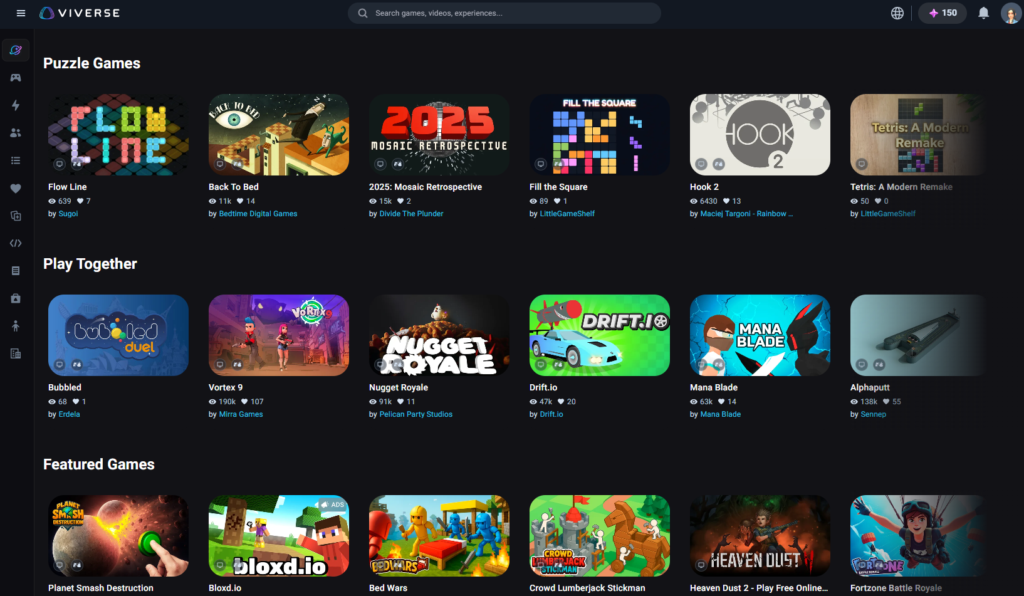
The web experience has a refreshed header and side menu. Search is now centered and easy to reach, so you can jump straight into finding games, videos, and experiences with fewer clicks. The side menu also collapses into a slim, lightweight bar to give you more room to browse.
A smoother path from Create into Studio
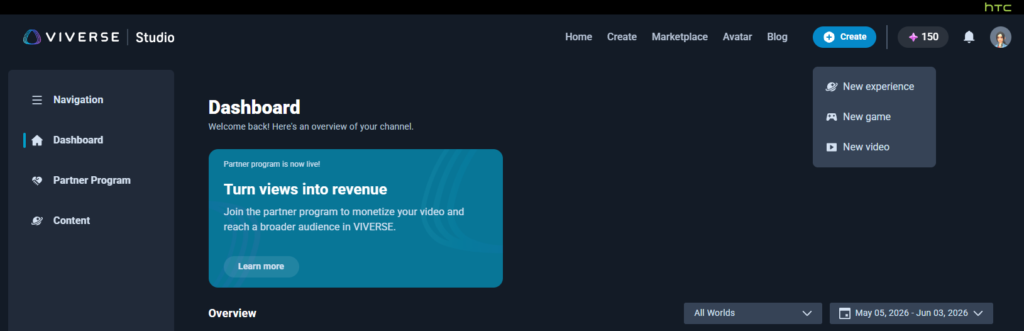
Starting a new project is more direct. The Create entry point now takes you straight into Studio with an updated header, a refreshed design language, and an improved drag-and-drop experience, plus quick links to documentation for anyone who needs a hand. When you begin, you choose from three distinct content types: Experiences, Games, and Videos. Experiences can be published from a game engine, the Web Builder, or Open Brush; Games support a ZIP upload (up to 1 GB), VIVERSE SDK integration, or CLI tools; and Videos accept a wide range of formats up to 30 GB.
Video
An upgraded video player and embed experience
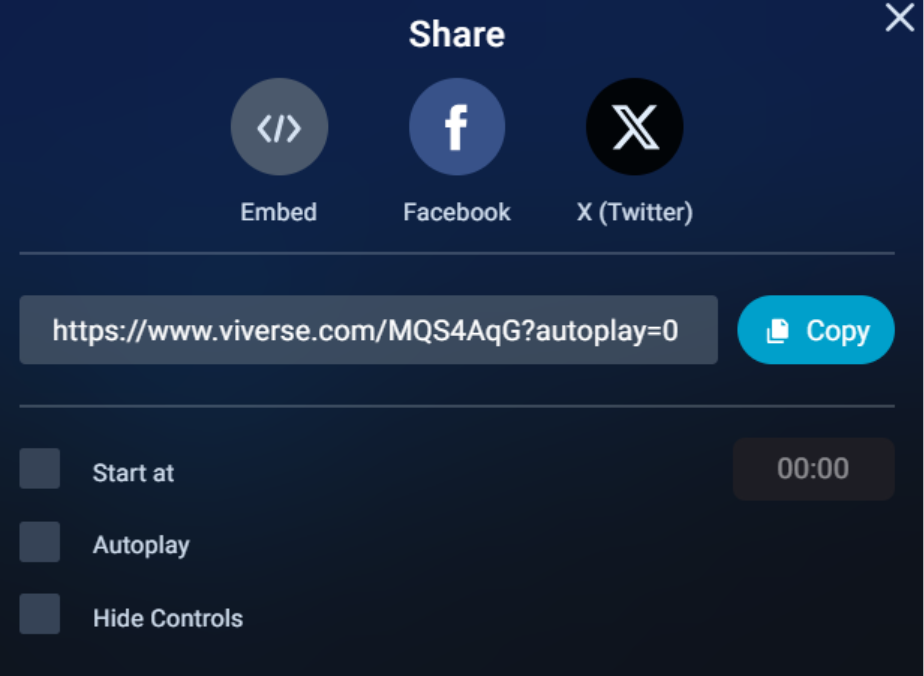
The in-player video experience got a meaningful update. In fullscreen, you can now like, share, and comment without leaving fullscreen mode, and the controls have been refreshed. When a video is embedded outside of VIVERSE, the player now carries more context: a VIVERSE logo in the bottom right plus the creator’s name, profile image, and video title. There is also a new view-profile call to action and a share button with a confirmation toast, and embed links can be copied directly from the VIVERSE content detail page.
Marketplace
New daily Mission quests
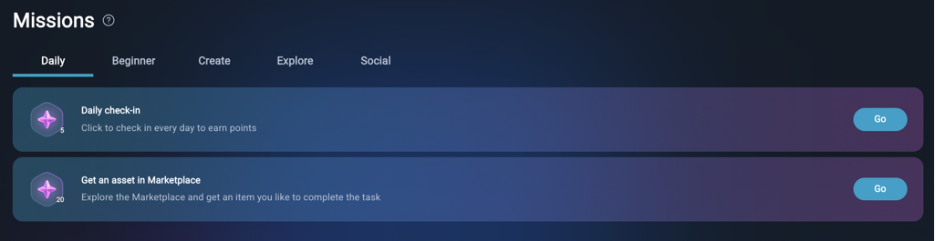
Mission Points get more rewarding this month with two new daily quests. Check in each day, and get an asset in the Marketplace, to earn points you can put toward items across VIVERSE. It is a simple way to build a daily habit and stock up on assets for whatever you’re building.
Community
New mission notifications
To make those quests easier to find, players now get a notification when a new mission is available. The goal is to surface missions sooner so you spend less time hunting for them and more time earning rewards.
Polygon Streaming
Fixes
We shipped Polygon Streaming Web SDK 2.8.1, which includes an important fix for animated models that were not rendering correctly on iOS devices. If you build with Polygon Streaming, updating to 2.8.1 resolves the issue. Learn more about the Polygon Streaming Web SDK.
Wrap-Up
That’s it for May! If you have an experience, game, or video in the works, head into the new path from Create into Studio and publish it, then dial in your genres, tags, and content language so the right people find it. If you’re building, keep publishing and iterating. We’ll keep shipping updates that make VIVERSE easier to explore and easier to grow on.
Curious about previous updates? Check out our April 2026 release notes or browse the full VIVERSE Updates series.
Join the Community
Follow VIVERSE for the latest updates, creator spotlights, and announcements:
X (Twitter) | Bluesky | YouTube | LinkedIn | Instagram | Facebook | TikTok