What’s New in VIVERSE: September 2026 Updates

The VIVERSE September 2026 updates help you play anywhere, test with ease, and stand out with new thumbnails. Families get a dedicated Kids Mode, players can take selected games offline, and creators get simpler testing in Creator Studio.
TL;DR
- Kids Mode gives young players their own space with age-appropriate games, now in the mobile app.
- Offline Games let you play selected games in the VIVERSE app without an internet connection.
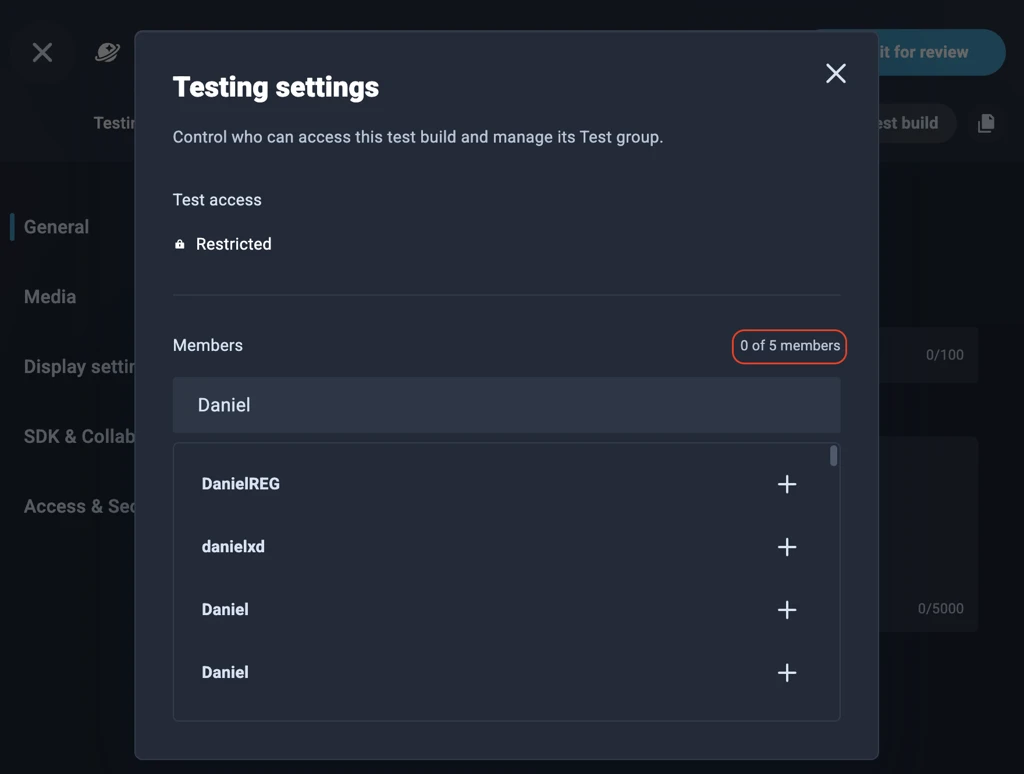
- Restricted testing in Creator Studio replaces 15-minute test links with a set group of up to 5 testers.
- Portrait and square thumbnails and portrait trailers give your content more ways to stand out.
- Promo badges on game thumbnails highlight editor picks, new releases, and trending games.
- A redesigned control bar stays out of your way and keeps recommendations behind the More button.
What’s new
Creator Studio
Restricted testing with links that don’t expire
For: Creators | Platform: Web (Creator Studio)
Testing links in Creator Studio no longer expire after 15 minutes. Instead, you can set up a restricted test group of up to 5 testers who can open your test build anytime.
To get started, open your content in Creator Studio and select Manage testing. Search for testers and add them to your group. You no longer need to send a fresh link every time someone wants to test.

Portrait and square thumbnails, plus portrait trailers
For: Creators | Platform: Web (Creator Studio)
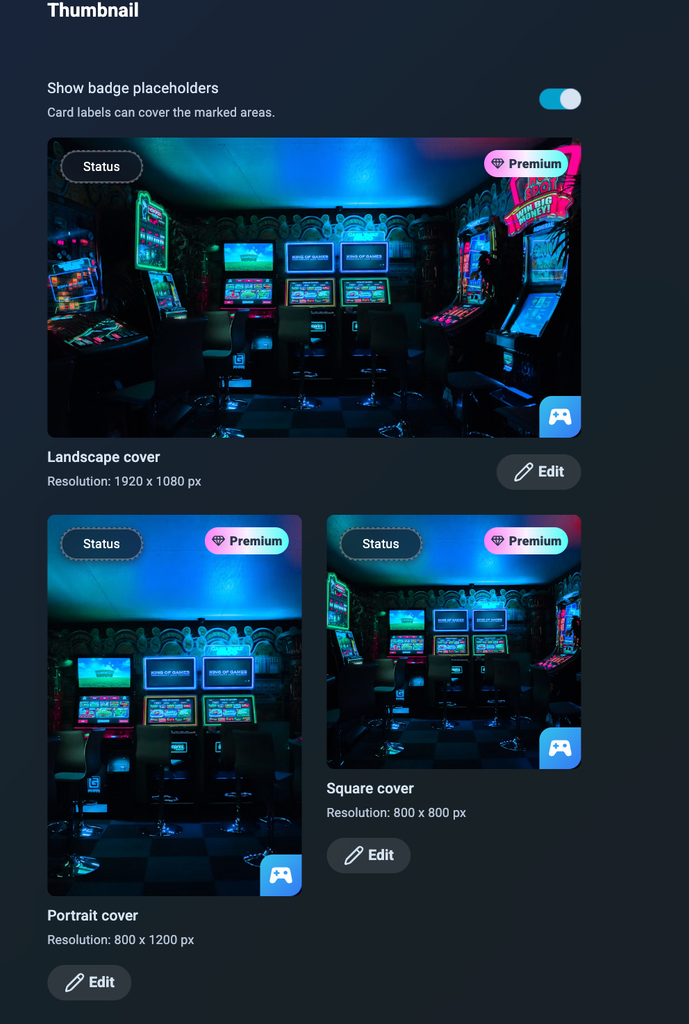
Your content can now have portrait and square thumbnails alongside the standard landscape thumbnail. Use the drag-to-adjust and zoom tools to reframe your existing landscape image, or upload your own custom images. You can also add a portrait video trailer.
Recommended thumbnail sizes:
- Landscape: 1920 x 1080 px
- Portrait: 800 x 1200 px
- Square: 800 x 800 px
Turn on Show badge placeholders to see which corners badges may cover, so your key art stays visible. These new formats give us more ways to promote your content across VIVERSE.
Discovery and play
Promo badges on game thumbnails
For: Players and creators
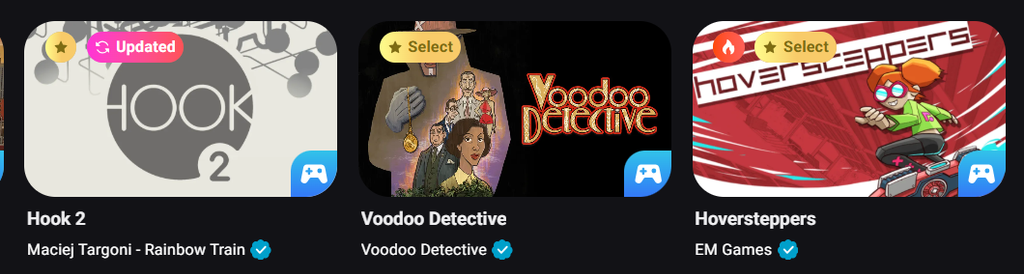
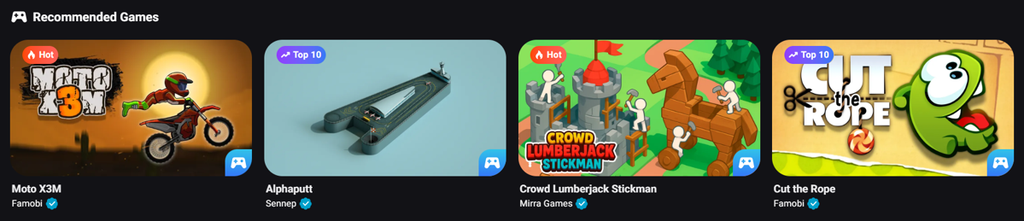
Building on the promotion labels we introduced in August, promo badges now appear right on game thumbnails. They help you spot standout games at a glance:
- Select: VIVERSE Editor’s Choice
- New: Launched in the last week
- Updated: Updated recently
- Top 10: A top-performing title
- Hot: Trending right now
- Premium: A paid title
Creators, the Show badge placeholders toggle in Studio shows where these badges may appear on your thumbnails.
A cleaner control bar that stays out of your way
For: Players and creators | Platform: Web and mobile app
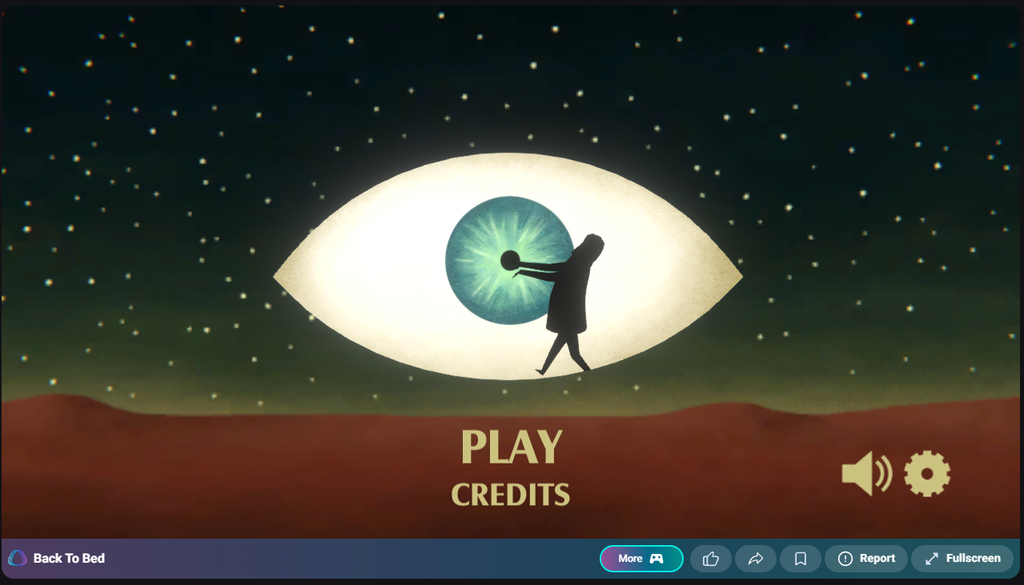
We redesigned the control bar so it never blocks your game UI. Recommendations now sit behind the More button, so they appear only when you want them.
In full screen, you can select Hide this bar for a clear view. On mobile web and in the mobile app, full screen shows a slim, minimal version of the bar so you can still exit easily.
VIVERSE app
Kids Mode
For: Players and families | Platform: Mobile app (desktop coming later)
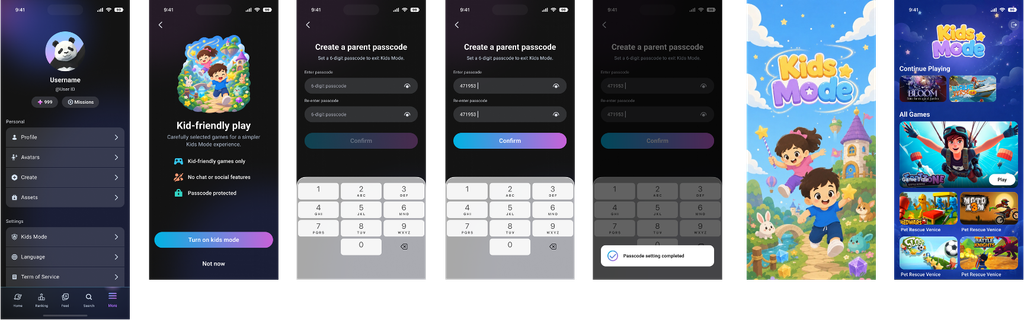
Kids Mode gives young players their own space in the VIVERSE app, with age-appropriate games curated by VIVERSE. It has no chat or social features.
To turn it on, go to Settings > Kids Mode and create a 6-digit parent passcode. The passcode is required to exit Kids Mode. Kids Mode is available in the mobile app now, with desktop support on the way.
Offline Games
For: Players | Platform: Mobile app
You can now download selected games in the VIVERSE app and play them without an internet connection. Keep playing on a flight, a commute, or anywhere your signal drops.
Wrap-up
That’s it for September! Open Creator Studio to set up your test group and add portrait and square thumbnails before your next release. If you’re building, keep publishing and iterating. We’ll keep shipping updates that make VIVERSE easier to explore and easier to grow on.
Curious about previous updates? Check out VIVERSE Updates.