VIVERSE Updates: December 2025

December’s theme is all about smoother creation and easier discovery. This update brings more ways to customize stylized avatars, clearer feedback when your World goes through review, better collaboration tools for co-owners, and a refreshed browsing experience that makes it simpler to find Worlds, creators, and genres you actually care about.
What’s New
World Browsing Updates
World Landing Page revamp (Web)
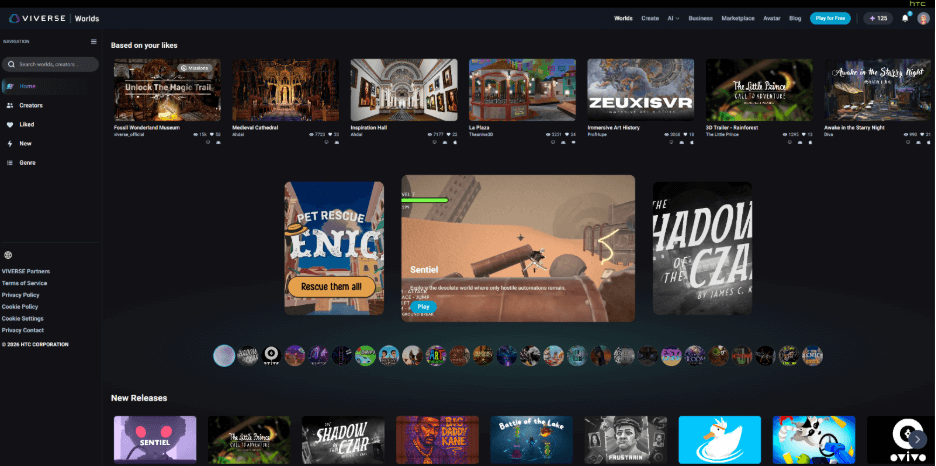
We refreshed the Worlds landing page with one goal in mind: make discovery feel faster and less scroll-heavy. You’ll see a new banner carousel, smarter rows for trending Worlds and fresh releases, and better recommendations based on what you’ve been exploring. Search is also more streamlined, with clearer results and easier filtering. Your Liked Worlds are simpler to jump back into with the updated navigation.
Creator Tools and World Settings
Longer World titles in Studio
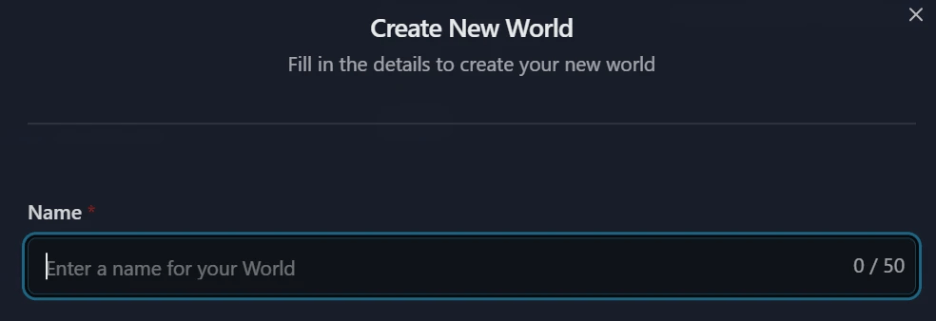
World title character limits in VIVERSE Studio have expanded to 50 characters.
World review notifications
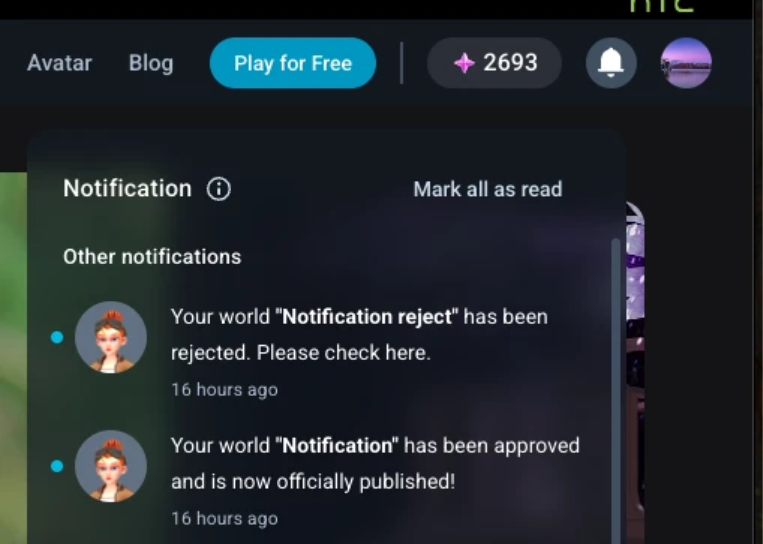
After world submissions in VIVERSE Studio go through the approval process, creators will see the approval or rejection status notices in the notification bell area of their VIVERSE dashboard.
Co-owners are easier to manage
World owners can now add and manage co-owners in World Settings, making collaboration and team projects much more straightforward.
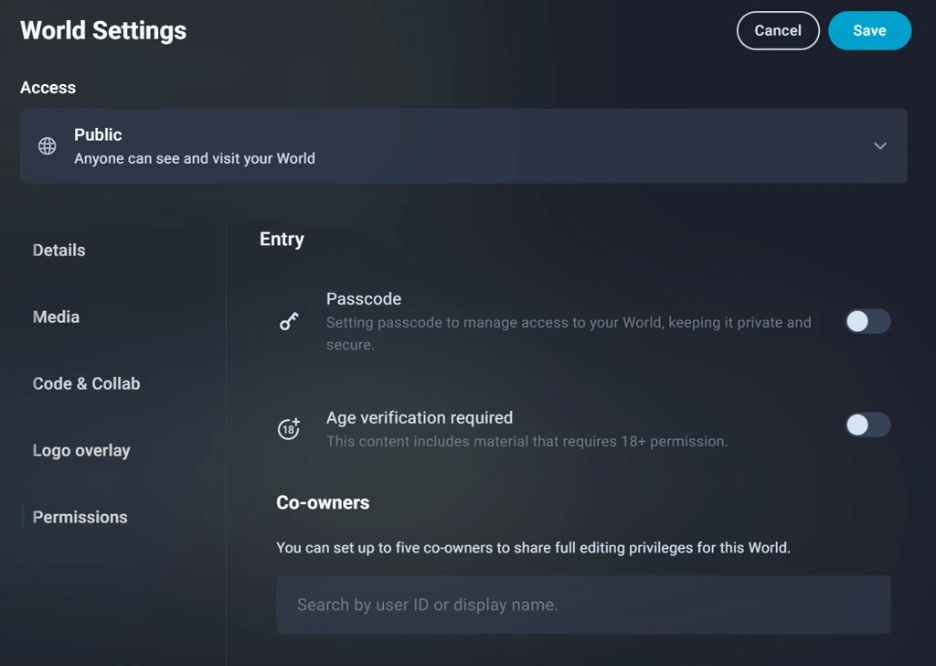
Co-owners can be granted full editing privileges, while owners retain control over deleting and submitting new builds for approval.
Mobile joystick close control
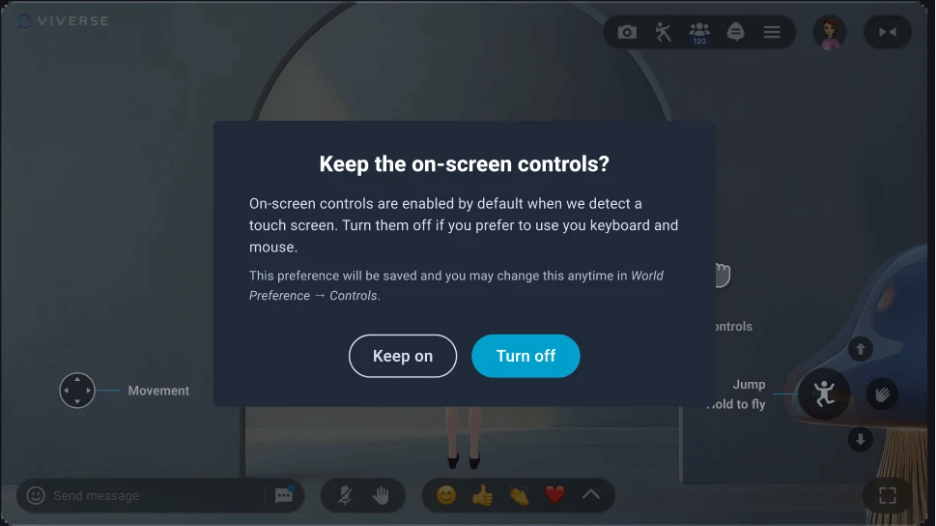
If your World doesn’t need on-screen mobile controls, you can hide them from players. To adjust the controls and preferences, browse to World preferences > Controls for your World.
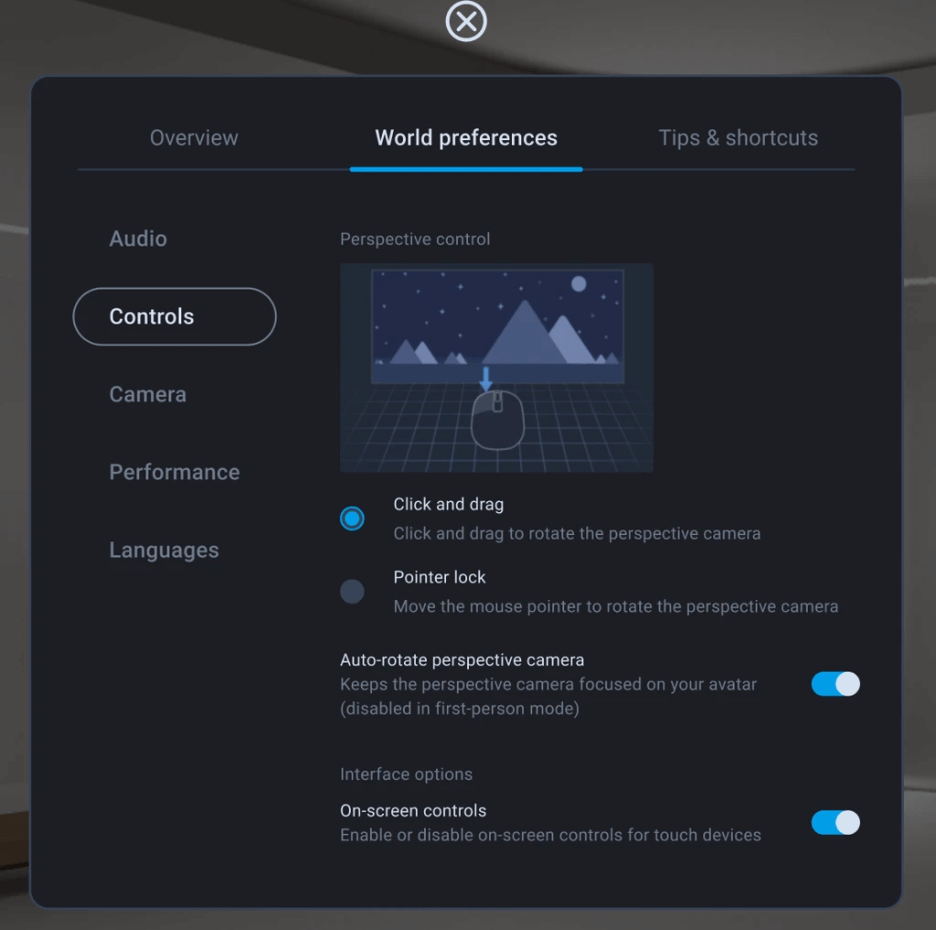
There’s also a new confirmation flow if touch input is detected on non-mobile devices. This means users can set control preferences instead of getting stuck with controls they don’t want.
Avatar Updates
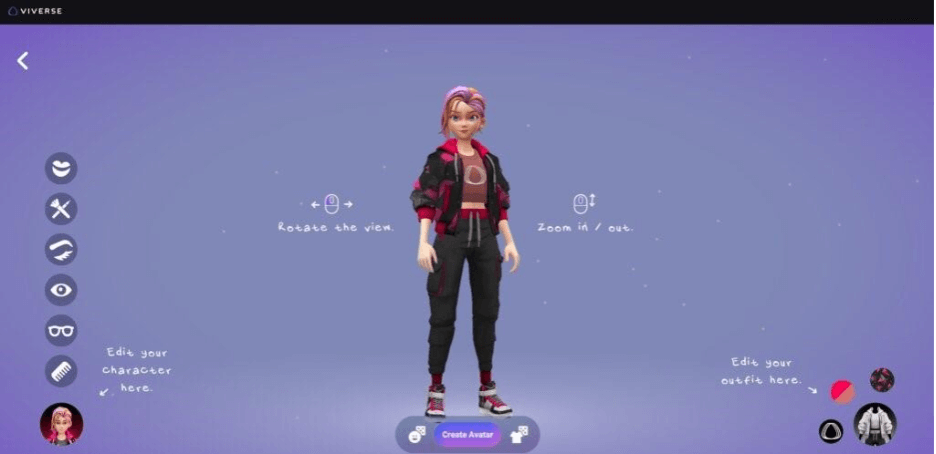
Stylized Avatar Creator
Stylized avatars received a fun expansion this month, with more options to fine-tune your look. You can further customize stylized character presets with updates, like new hair styles, makeup adjustments, and accessories, which makes it easier to land on a look that feels more you.
Wrap-up
This month is a clean quality-of-life win across the board. You’ve got more personality in stylized avatars, more clarity in the review process, better collaboration controls for shared Worlds, and a browsing refresh that should make discovery feel less like scrolling forever and more like finding something worth jumping into.
Speaking of jumping into VIVERSE…
- Browse Worlds: https://worlds.viverse.com/
- VIVERSE Creator Program: https://create.viverse.com/creator-program
Come hang out with the community
Our community is growing, and we want your voice and creativity added to the mix. Check out our socials, the projects and people we’re working with, and what we’re looking forward to most for 2026. Follow and stay updated!