Live2D Rigging: A 7-Day Challenge That Reveals The True Cost

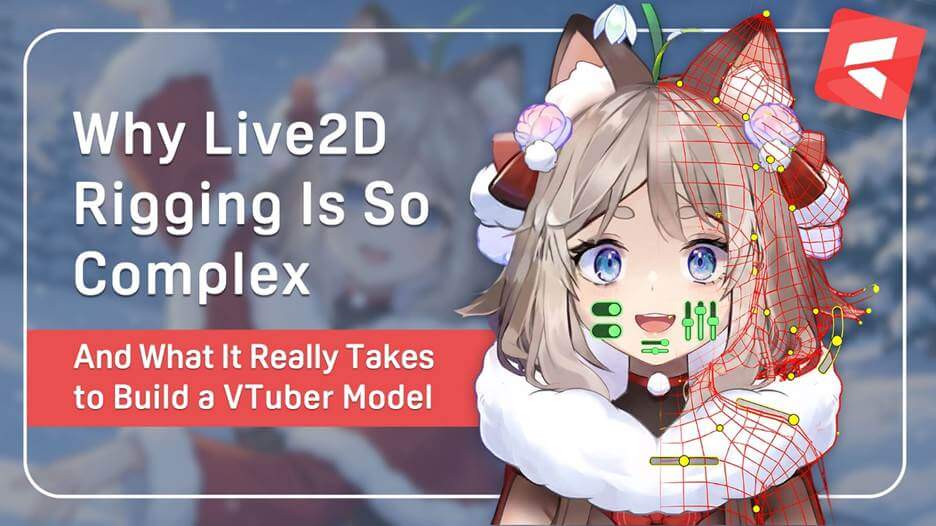
If you’ve ever dreamed of becoming a VTuber, you’ve probably imagined streaming with a cute custom avatar that moves and reacts just like you. But then reality hits. A high-quality 2D VTuber model can cost over $2,000, with rigging often making up half that price.
To understand why, let’s follow VTuber Zekoz, who challenged himself to learn Live2D rigging from scratch in just seven days (Zekoz 2023). His experiment reveals how much time, precision, and creativity goes into turning a static drawing into a lifelike, responsive digital persona.
The takeaway? When you pay for a professional VTuber model, you’re not just buying art—you’re investing in the craftsmanship and technical expertise that make your virtual self feel real.
Zekoz’s 7-Day Live2D Rigging Challenge
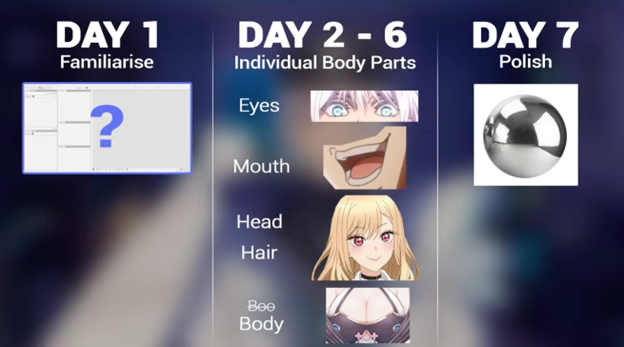
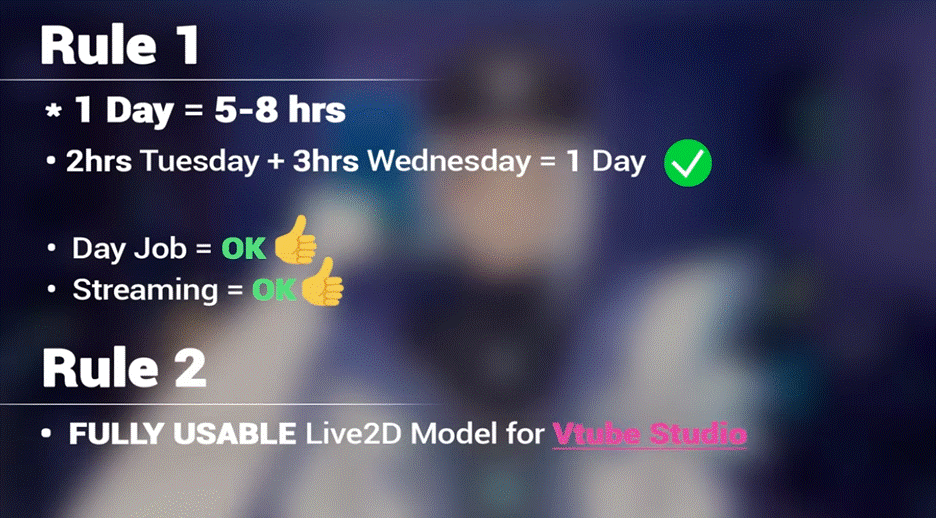
Zekoz approached this self-assigned challenge with discipline, dividing the 7 days into structured learning stages. Each day involved 5 to 8 hours of focused work, going from basic setup to full model refinement.
Need some tips on using VTube Studio? Check out How to Capture VTube Studio in OBS Using the Spout2 Plugin.
Here’s a quick overview of what he did each day:
| Day | Focus | Highlights |
| 1 | Software basics | Learned meshes, deformers, and parameters. |
| 2 | Eye rigging | Mastered clipping layers, hierarchies, and symmetry. |
| 3 | Head movement | Applied custom meshes and deform path tools. |
| 4 | Hair physics | Built layered structures and tested motion physics. |
| 5 | Mouth and ears | Designed a simplified mouth rig and added ear motion. |
| 6 | Body movement | Set angle bindings and secondary motion effects. |
| 7 | Polish | Linked all parameters, refined motion, and cleaned up visuals. |
By the final day, the scale of Zekoz’s task was clear. Rigging was not just a technical procedure but also an artistic one. Making the 2D avatar’s eyes blink naturally or ensuring its hair moved with realistic physics demanded both patience and problem-solving. Small misalignments could cause distortions and require repeated adjustments.
This structured challenge demonstrated why professional avatar rigging takes weeks, sometimes months. The precision behind each movement defines how lifelike a model feels to both the creator and their audience.
Key Lessons from the 7-Day Challenge

Zekoz’s 7-day experiment revealed why professional Live2D rigging commands such high prices. Preparing a 2D VTuber avatar involves:
- Complex setup: Every body part needs precise control to move naturally.
- Technical skill: Riggers must understand mesh deformation, parameter blending, and physics simulation.
- Creative precision: Achieving lifelike motion takes multiple iterations and revisions.
- Attention to detail: Even small changes, such as hair sway or mouth curves, can take hours to adjust.
It’s safe to say that VTuber model prices reflect the required depth of specialized labor and expertise, not just the final artwork.
Live2D Rigging Basics for First-Time Creators
If Zekoz’s 7-day challenge inspired you to try Live2D yourself, here’s a beginner-friendly breakdown of the core rigging steps. These fundamentals will help you understand how VTuber models come to life, and give you a solid starting point for your own creation.
Step 1: File Setup and Basic Organization
Start by importing your PSD into Live2D Cubism and keeping your workspace clean. Organize parameters into folders, remove anything unused, and generate simple art meshes. Refine the meshes manually so each part deforms smoothly, and set up clipping (e.g., blush inside the face) to ensure the artwork appears correctly.
Step 2: Rigging Essential Facial Features
Begin with the parts viewers notice most:
- Eye blink and wink – Bind the eyelids to an “Eye Open” parameter and sculpt the closed-eye shape for natural motion.
- Eye smile – Add slight deformation to create gentle expression changes.
- Mouth open/close – Bind the lower mouth mesh and adjust the deformation so the mouth opens cleanly.
Focus on building clean, readable movements before adding complex expressions.
Step 3: Adding Physics for Natural Motion
To make your model feel alive, apply basic physics:
- Create deformers for parts like hair tips or accessories.
- Bind them to physics parameters so they react to head movement.
- Adjust sway, reaction speed, and softness until the motion feels natural.
Even simple physics adds a lot of personality to your Live2D model.
Step 4: Head and Body Movement
Use deformers to control major motions:
- Group facial parts into a single deformer for head rotation.
- Bind these to Angle X, Y, and Z, allowing the head to turn left/right, up/down, and tilt.
- Adjust keyforms at each angle so the movement appears smooth and 3D-like.
This is the foundation of most Live2D VTuber models.
Step 5: Final Touches and Overall Polish
Once the essential rigging is complete:
- Add subtle squish/stretch for extra expressiveness.
- Refine transitions between movements.
- Test all parameters together to ensure nothing breaks or overlaps.
A final pass helps unify the entire rig and makes the model feel cohesive.
(Source: Kira Omori Live2D 2025)
Additional Learning Resources for Live2D Beginners
Starting your VTuber career doesn’t require a large investment. Free tools and community resources make it possible to learn the basics at your own pace.
Here are a few ways to begin creating your own VTuber model:
- Download Live2D Cubism: The free version provides everything you need to start rigging.
- Use sample models: Practice your skills with community files before working on your own illustration.
- Follow tutorials: Check out creators like Yoshino Art, Kira Omori, and Cutie Dragon who share accessible guides for beginners.
- Explore VIVERSE’s creation tools: Try out different kinds of avatar models and see how they behave in interactive environments and social worlds.
Even limited experiments can show how much patience and precision are behind every character model’s expressions. Trying the process firsthand will help you better understand the sometimes-high costs of VTubing and plan your journey to VTuber stardom more realistically.
Further Reading: VTuber Rigging 101: How to Bring Your Virtual Persona to Life
[Image based on alt text: Virtual avatar performing on stage in a VIVERSE World.]
The Takeaway
Zekoz revealed a clear truth that he learned from his 7-day challenge—that “…every smooth blink, every subtle movement you see on screen is the result of hours of careful design and technical mastery.”
In other words, respect the craft. Understanding what Live2D model creators do will give you a stronger foundation to:
- Budget realistically for models that match your goals.
- Collaborate effectively with artists and riggers.
- Appreciate the craftsmanship that brings avatars to life.
Live2D rigging is both art and engineering. Knowing how much expertise lies behind it helps aspiring VTubers respect the value of the work that makes virtual identities feel real.
Final Takeaways
VTuber Zekoz’s 7-day Live2D rigging challenge shows us how much skill, patience, and time go into setting up a VTuber model. Rigging combines art, programming logic, and physics to create believable motion.
Whether you are a beginner or an experienced creator, learning the basics will help you understand what your investment truly covers. A successfully rigged 2D avatar represents countless hours of labor and creativity.
The next time you see a VTuber’s perfectly timed smile, remember the expertise that made it possible. Consider trying a few frames of Live2D yourself to see just how much work hides behind that smooth, effortless motion!
Frequently Asked Questions
Live2D rigging is the process of turning a flat 2D illustration into a movable, expressive model by adding meshes, deformers, parameters, and physics.
Because you’re paying for both art and technical engineering. Rigging involves precise mesh work, layered deformers, parameter blending, and extensive testing. High-quality motion can only be achieved through many hours of detailed, specialized work.
The price of a VTuber model varies widely depending on the illustrator and rigger.
Here is an estimated breakdown, but is by no means an exact cost:
PNG / Starter avatar: $0–$300
2D Live2D model: $500–$5,000+
3D model (VRM): $1,000–$2,000+ Optional: $0-$8000
Further Reading: How Much Does It Cost to Be a VTuber in 2025?
About the Video Author: Zekoz

Zekoz is a VTuber creator and educator who focuses on making VTubing more approachable for beginners. His tutorials clearly explain how to start VTubing using accessible tools like Mannequin Character Generator, Inochi Session, and OBS Studio, without requiring advanced art or rigging skills.
By combining technical clarity with practical tips, Zekoz helps aspiring VTubers understand the real workflow behind model creation—from setting up layers and tracking to optimizing streaming layouts. His Mannequin Character Generator Quick Tutorial video offers a step-by-step visual companion to this guide, showing exactly how a free 2D avatar can be built and animated in under an hour.
Committed to the idea of “Making VTubing Knowledge Accessible to Everyone”, Zekoz continues to guide new creators toward confident, creative, and cost-effective VTubing setups.
Check out other articles using Zekoz advice:
Reference
Zekoz. 2023. “Vtuber Models are TOO EXPENSIVE so I learnt Live2D (in 7 days).” YouTube. May 2. https://www.youtube.com/watch?v=k5m3XFJPKYw.
Kira Omori Live2D. 2025. “Beginner Intro to Live2D Rigging (FREE ver tutorial) – GeekCon DX 2025 Segment.” YouTube. May 6
https://www.youtube.com/watch?v=yeUOnzb7Y4Y