I Tried VIVERSE Object AI and Built a World Faster

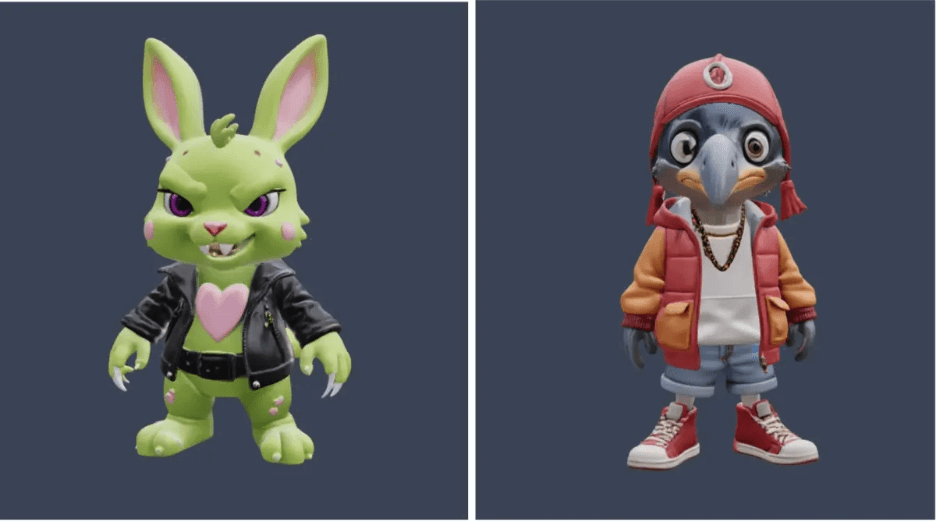
Recently, VIVERSE rolled out a suite of AI-powered features: from VIVERSE Scene AI, which can generate 3D environments from images or videos; to VIVERSE Object AI, which allows users to quickly generate 3D models simply by entering text prompts or uploading an image. These models aren’t just downloadable, either. They can also be seamlessly applied within VIVERSE Create to build virtual worlds. The whole process requires no modeling skills, no file conversion, and no plug-ins.
Using AI to generate 3D models isn’t new but integrating it directly into VIVERSE’s creative workflow makes it incredibly practical. For creators like me who lack technical skills, it’s a real game-changer. But is it actually useful? And how good do the results look? Let’s find out.
NOTE: VIVERSE does not train AI with your uploaded content, inputs, or resulting generations. We believe strongly in a creator-first ecosystem and have updated our Terms of Use to address creator ownership and protections.
What makes VIVERSE Object AI stand out?
When building my own VIVERSE World, my biggest headache has always been sourcing the right 3D assets. Sketchfab and other online libraries helped but often came with licensing issues or mismatched styles. Now, with VIVERSE Object AI, all it takes is a prompt, and within about a minute, I get a ready-to-use 3D model. It saves time, effort, and I can use it worry-free.
The official guidelines are also clear:
- Your uploaded content, prompts, and generated outputs will not be used for AI training. Learn more about VIVERSE’s updated Terms of Use to protect creators, their content, and their privacy.
- You own the copyright of all generated models and are free to modify or use them commercially.
- No third-party licensing disputes.
For creators, that’s huge. Without the headaches of copyright or privacy concerns, we can focus entirely on creating.
Free to use? Yes, but with a “play-to-earn” twist
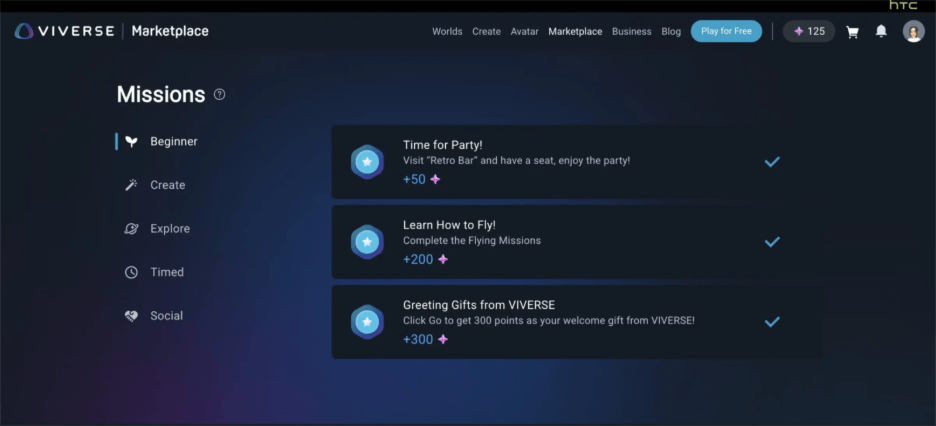
While you don’t need to spend real money, generating 3D models consumes credits. These credits can’t be purchased; instead, you earn them by engaging in VIVERSE activities—exploring worlds, completing missions, or joining events. Accumulate enough credits, and you can redeem them for model generations.
Two AI generation modes: Text-to-3D & Image-to-3D
The workflow is straightforward. In VIVERSE Object AI, you can choose between two methods. All generated models come in the GLB format, ready to drop into your VIVERSE World or export to other supported platforms.
Text to 3D
Prompts currently support Traditional Chinese, English, and Japanese. The more detailed the description (object features, style, colors, poses, etc.), the better the result.
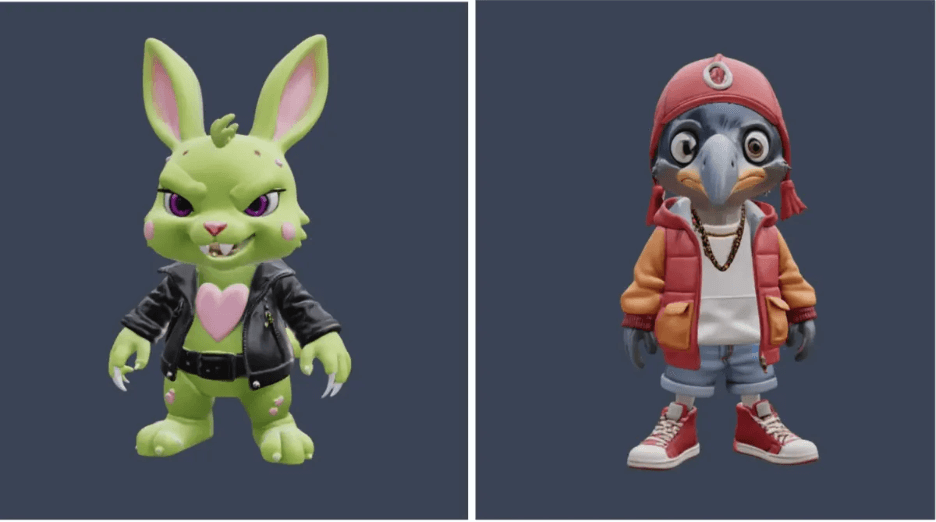
- Text prompt for model on left: “A cute-looking but slightly sinister neon-green bunny with pink heart-shaped spots, clawed hands, punk-rock style clothing, in a cartoon style.”
- Text prompt for model on right: “A shoebill stork dressed in hip-hop attire, cartoon style.”
Both characters hit my expectations on the first try, with consistent styles that look like they could form a team. I even pulled them into my VIVERSE World and gave them a vehicle. Not bad at all! You can even visit the world to see them up close.
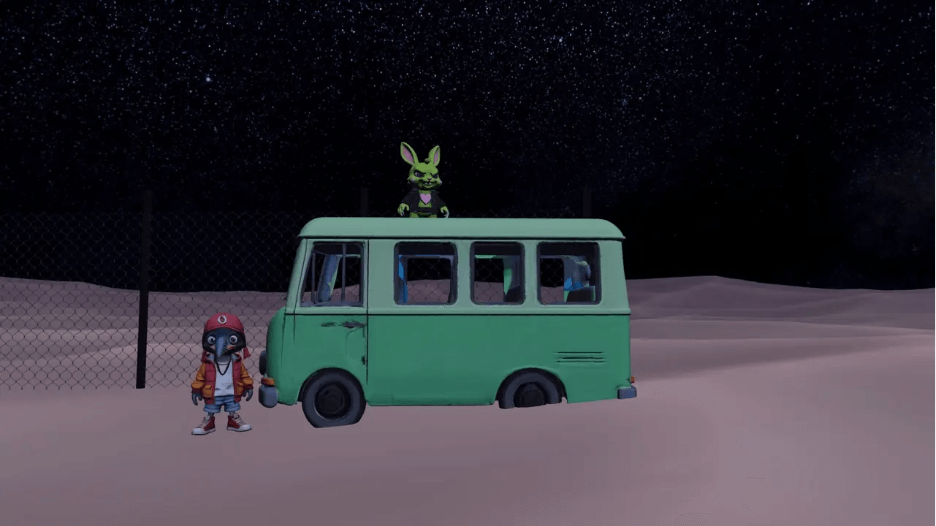
Image to 3D
If you have a specific design in mind, just upload an image, even a three-view reference, and AI will generate a 3D model from it. For example, here’s a 3D model of the popular Derpy the Tiger from the Netflix series “Devil May Cry: Witch Hunters”, generated from a single image.
NOTE: Please make sure you have the rights to generate and use images based on licensed characters and locations.
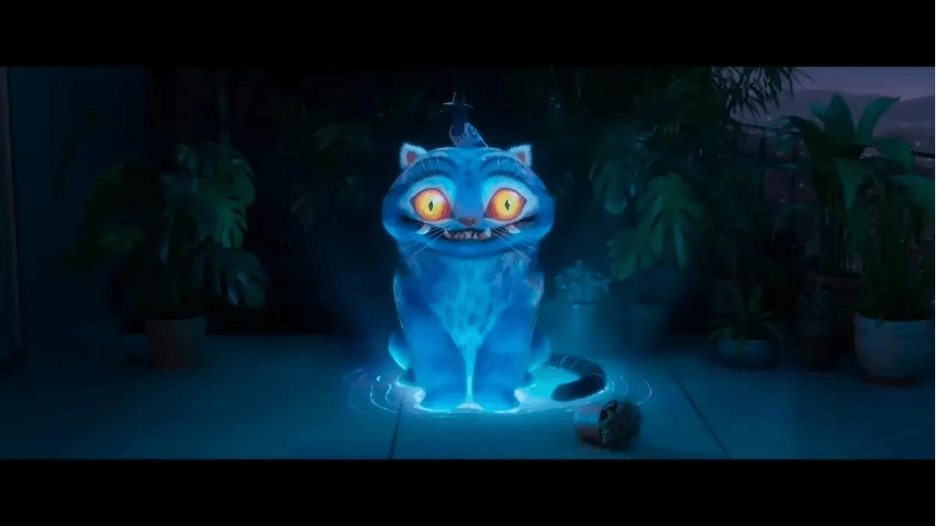
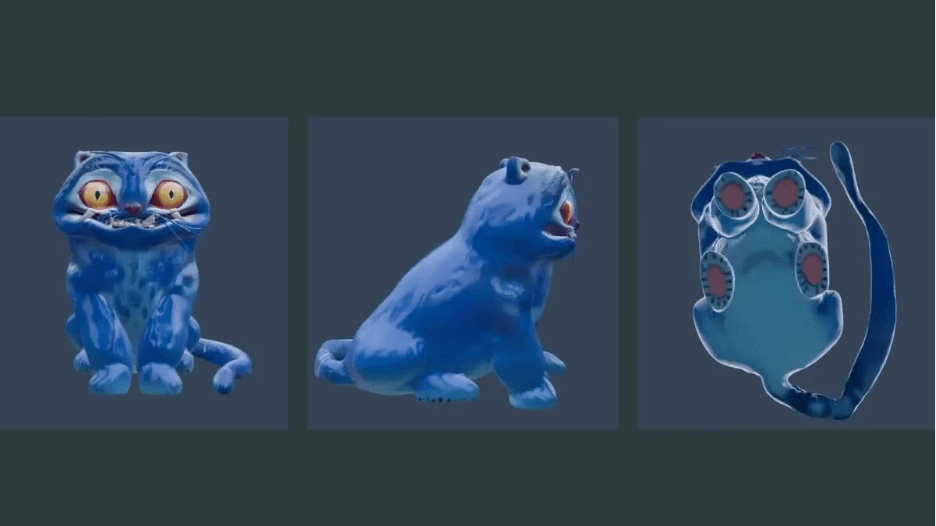
Moving forward, I’ll keep using these models to decorate my VIVERSE World, and I’m eager to see more customization controls and style options added.
Share Your World on VIVERSE
If you make something you like, don’t leave it sitting on your desktop. Publish it to VIVERSE, consider monetizing your content, share the link within your communities and across your socials, and invite everyone to explore your world with you.