What’s New in VIVERSE: March 2026

March brings a feature creators have been waiting for: the ability to upload and publish video content directly through VIVERSE Studio. Alongside that, we’ve refreshed how you find and share worlds on the web, with a cleaner domain, faster thumbnail previews, broader language support, and a fixed video embed for X/Twitter.
TL;DR
- Video uploads in VIVERSE Studio
Upload and publish video content to VIVERSE for the first time, with full visibility controls and transcoding up to 4K. - Video transcoding and quality settings
VIVERSE automatically transcodes your upload into multiple resolutions so viewers always get the best quality for their connection. - VIVERSE.com is now the main entry point
www.viverse.com now takes you directly to the main browsing experience; your existing links redirect automatically. - Thumbnail video previews
Hover over any card in VIVERSE to preview video content or see a world/game trailer before you click. - 8 new languages on landing and Create pages
VIVERSE now supports 11 languages across its landing and creator-facing pages. - Fixes:
- Video embeds on X/Twitter
World video embeds now correctly render a playable player when shared to X/Twitter. - Quest 2 room entry
Clicking a room card on the landing page in VR on Quest 2 now correctly takes you into the room. - Mobile landscape display
The top bar is now hidden in landscape orientation on mobile, giving you more screen space. - Sketchfab library removed from no-code editor
Direct Sketchfab access has been removed; assets can still be downloaded from the Sketchfab site and added manually via Edit Mode.
- Video embeds on X/Twitter
What’s New
Video Publishing
Upload and publish videos with VIVERSE Studio
You can now upload video content directly to VIVERSE through VIVERSE Studio. Head to the Videos section in Studio, drag and drop your file, and fill in your title, description, thumbnail, and genre tags while your video processes. Once it’s ready, you can preview it, adjust visibility (Private, Unlisted, or Public), and publish when you’re happy with everything. You can always set a video back to Private afterward if needed.
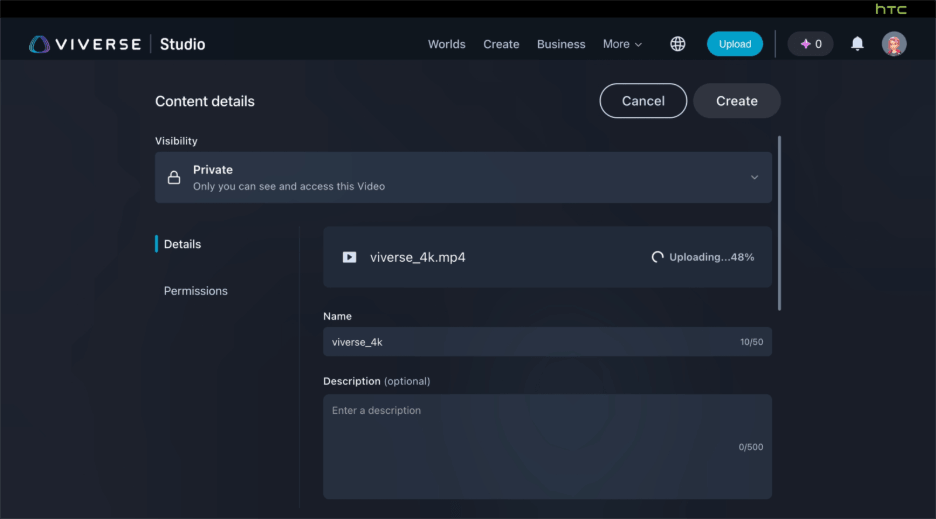
Note that video uploads are currently Studio-only; the CLI does not support video uploads at this time.
Video transcoding and quality settings
When you upload a video, VIVERSE automatically transcodes it into multiple resolutions so your viewers always get the best quality their connection supports — from 4K (3840×2160) down to 240p for low-bandwidth situations. Upload at 4K and your video earns a 4K quality badge; uploads at 720p through 2K receive an HD badge. You can check how your video was transcoded at each resolution using the Quality Settings control in the preview view.
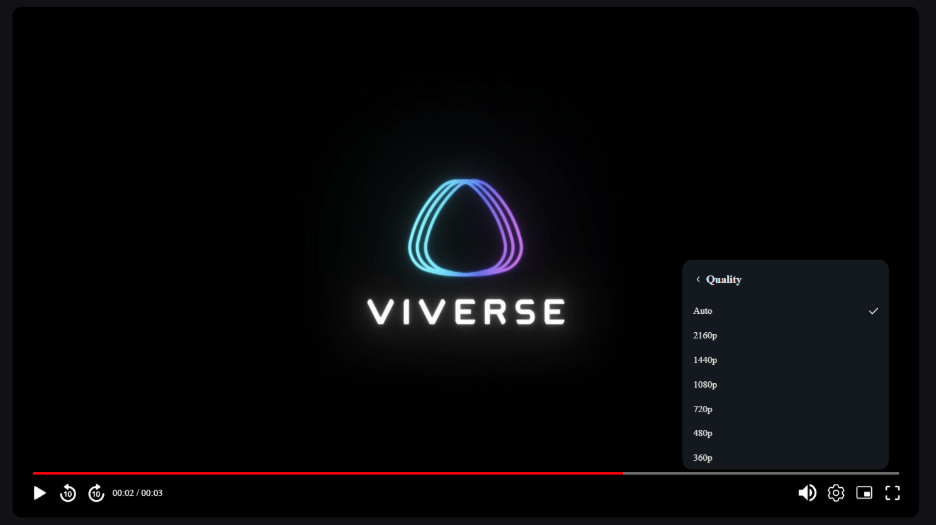
Accepted input formats include MP4, MOV, MKV, AVI, and several others, up to 30 GB and 120 minutes in length. Maximum input resolution is 4096×2304.
See full upload specs and transcoding matrix →
VIVERSE Worlds
VIVERSE.com is now the main entry point
We’ve updated our domain routing to make VIVERSE.com a more intuitive home for content discovery.
Here’s what changed:
- www.viverse.com now takes you directly to the worlds browsing experience, the page previously found at worlds.viverse.com.
- The previous VIVERSE index page has moved to www.viverse.com/about/.
- Content detail URLs have been updated from worlds.viverse.com/[ID] to www.viverse.com/[ID]. Any links you’ve already saved or shared will redirect automatically — no action needed on your end.
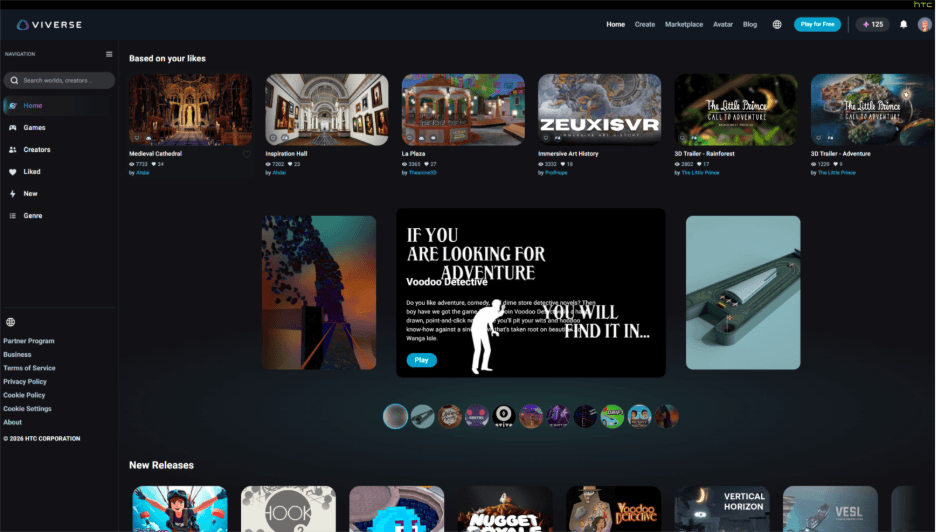
This is the first step in a broader navigation refresh aimed at making VIVERSE.com a cleaner, more discoverable entry point. Additional menu and navigation updates are coming in the weeks ahead.
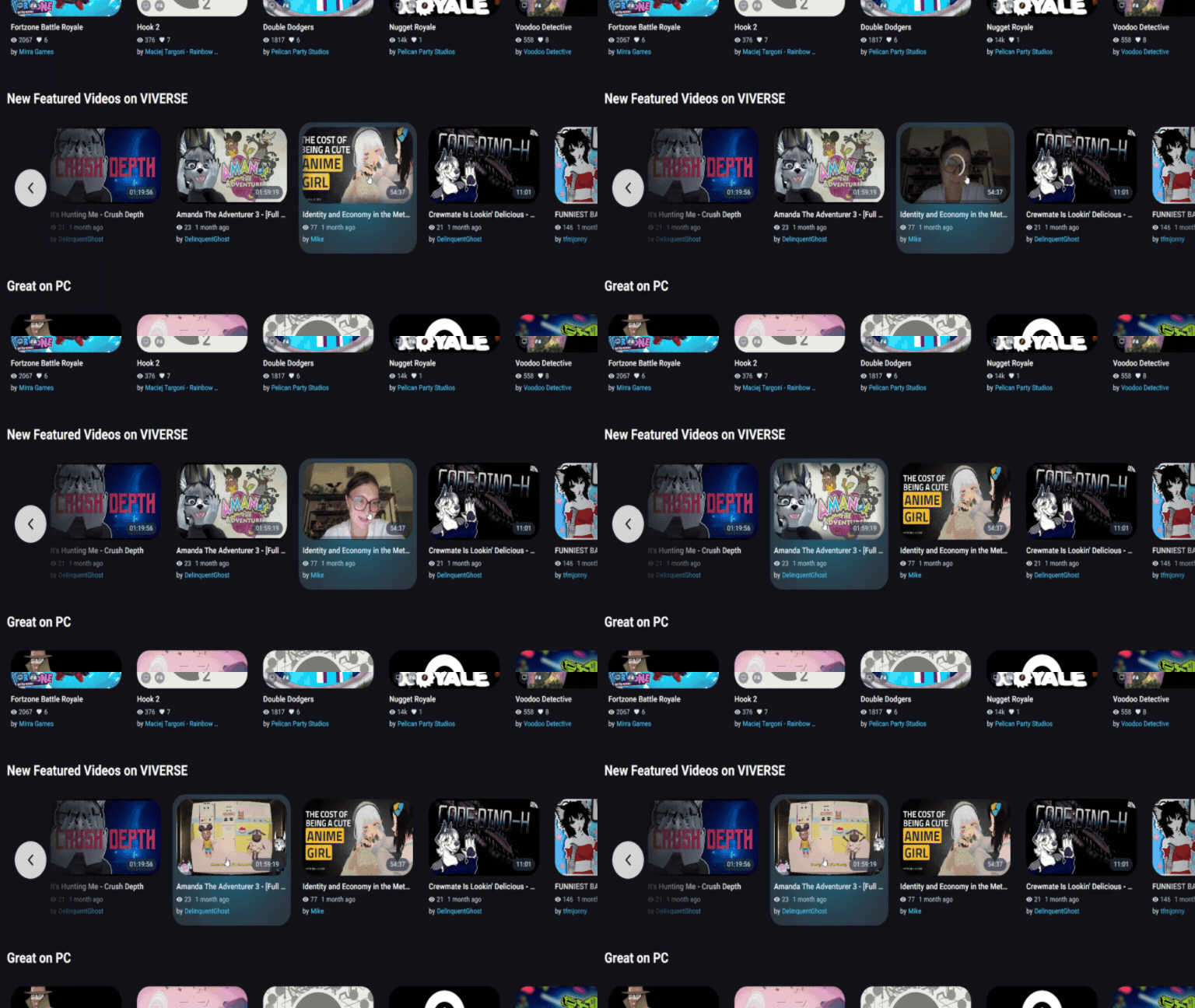
Thumbnail video previews
World, game, and video cards in VIVERSE now come alive when you hover over them. Video content shows a short preview clip; worlds and games display a trailer. It’s a quick way to get a feel for what you’re about to explore before you click through.
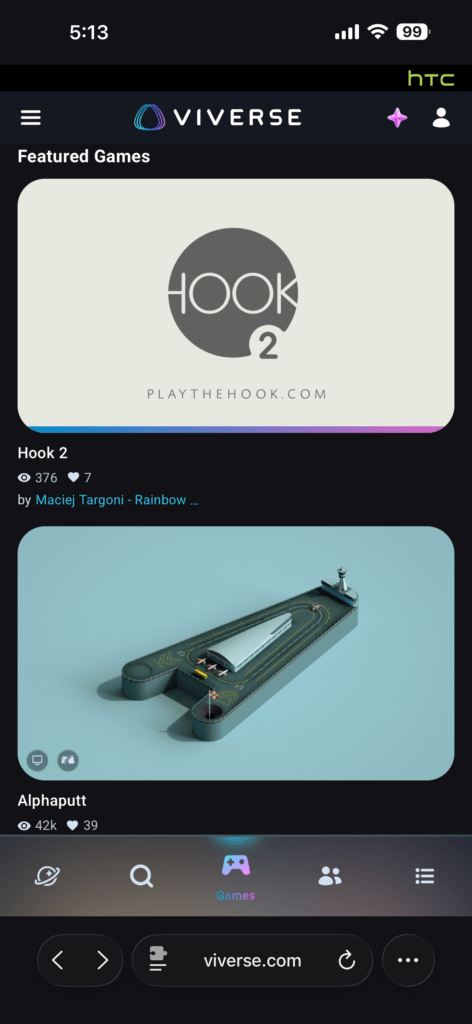
Single-column layout for mobile web
The Explore, New, and Games tabs in VIVERSE have been updated to a single-column layout on mobile web, making it easier to browse and tap through content on smaller screens. More tabs will follow in upcoming updates.
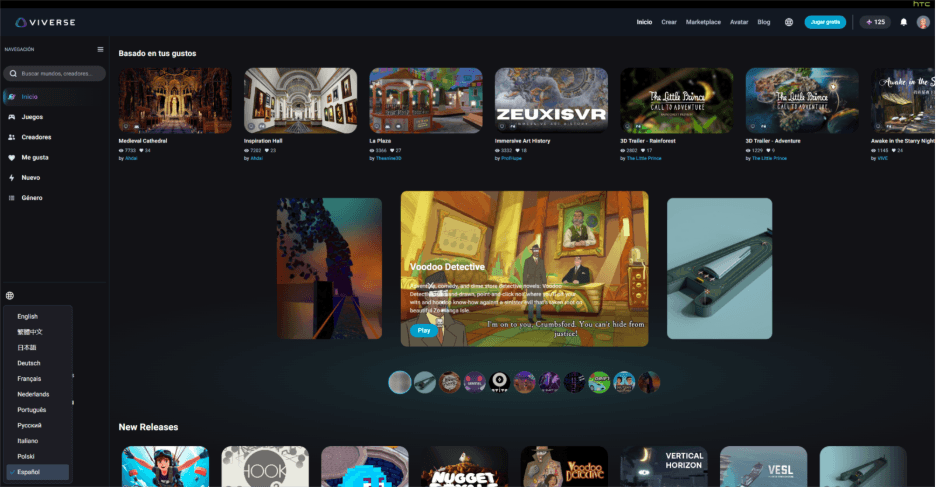
8 new languages on landing and Create pages
VIVERSE’s landing pages and creator-facing Create pages now support 11 languages in total. In addition to the original three (English, Traditional Chinese, and Japanese), you can now browse and create in Spanish (Spain), German, French, Brazilian Portuguese, Italian, Russian, Dutch, and Polish. Support for additional languages is on the way.
Creator Studio / No-Code Editor
Sketchfab library removed from no-code editor
The direct Sketchfab library integration has been removed from the no-code editor due to low usage. You can still use Sketchfab assets in your worlds by downloading what you need from Sketchfab directly, then adding it to your world through Edit Mode as you would any other asset.
Fixes
- Video embeds on X/Twitter
World video embeds shared to X/Twitter now correctly display a playable video player instead of a broken or missing embed. - Quest 2 room entry
Clicking a room card on the landing page in VR on Quest 2 now correctly takes you into the room. - Mobile landscape display
The top bar is now hidden when viewing VIVERSE on a mobile device in landscape orientation, giving you more screen space for content.
Wrap-Up
That’s it for March! If you’ve been waiting to share video content on VIVERSE, now’s the time! Head to VIVERSE Studio and start uploading. And if you haven’t browsed VIVERSE lately, the new thumbnail previews and single-column mobile layout make it a great moment to rediscover what’s out there.
We’ll keep shipping. You keep telling us what matters most to your experience creating and exploring with VIVERSE.
Curious about previous updates? Check out VIVERSE Updates.
Join the Community
Bluesky | X / Twitter | YouTube | LinkedIn | Instagram | Facebook | TikTok