What’s New in VIVERSE: October 2025 Updates

October brought a wide range of improvements across avatars, worlds, creation tools, and mobile usability. This month’s updates focus on giving creators more flexibility, helping players discover new content with ease, and making in-world interactions feel smoother and more expressive. Below is everything new and improved across the platform, grouped by category so you can skim or dive deep.
What’s New
Avatar Updates
Marketplace Avatars
- The VIVERSE Marketplace now supports avatar purchases using VIVERSE’s Mission Points. Find out more about VIVERSE Points in our docs!
- The My Avatar panel received a layout refresh with two clear sections for Created Avatars and Purchased Avatars.
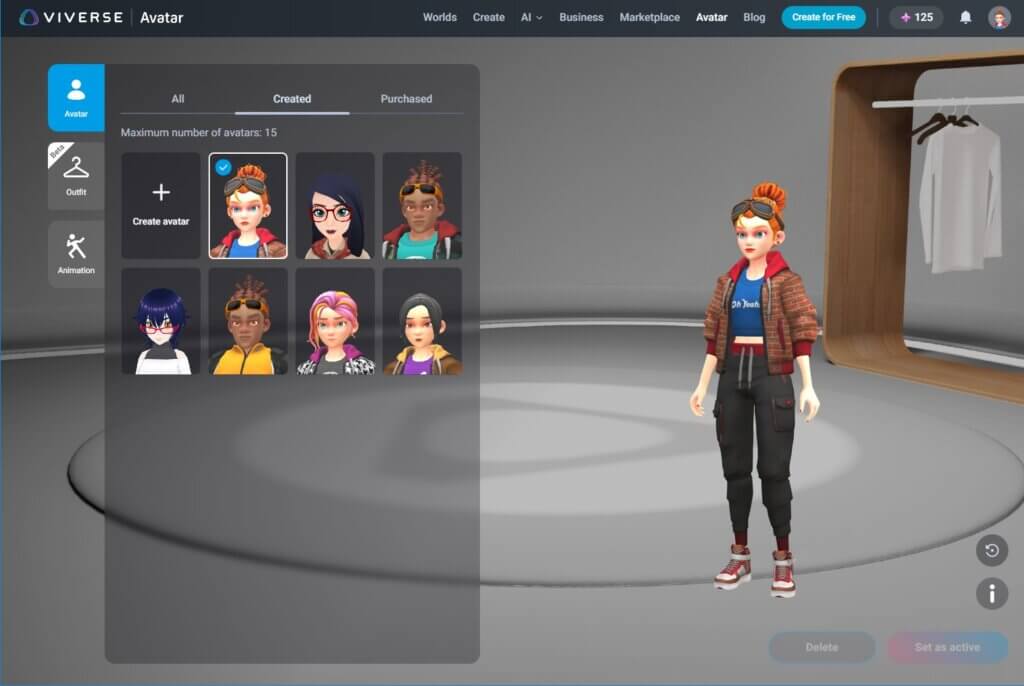
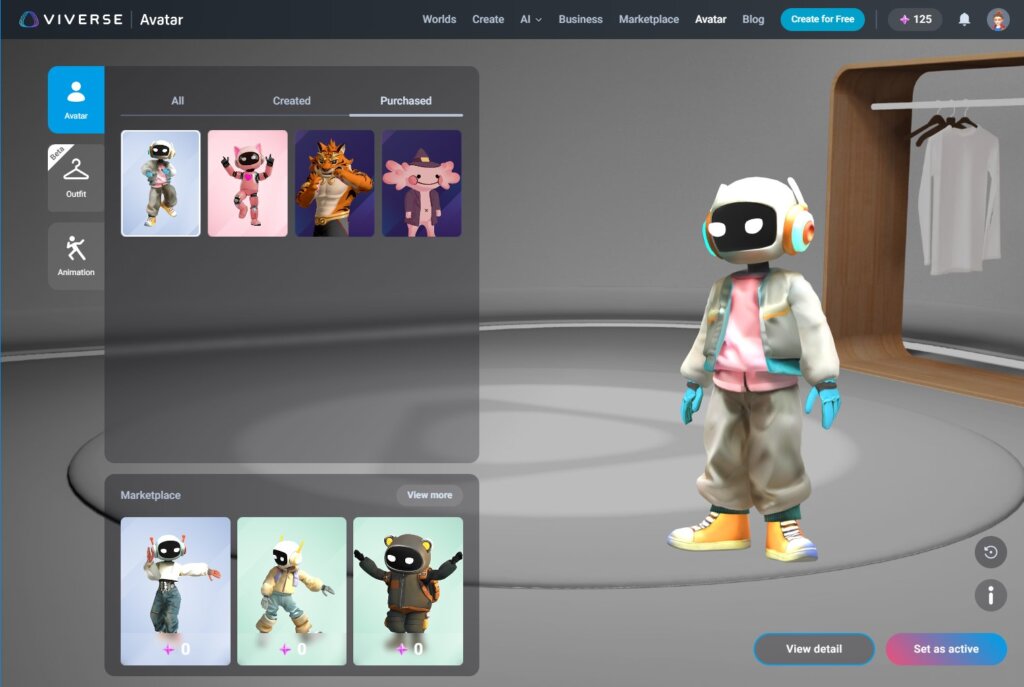
- Users will see notifications when new avatars become available, and all purchased Marketplace avatars now appear directly inside the My Avatar list.
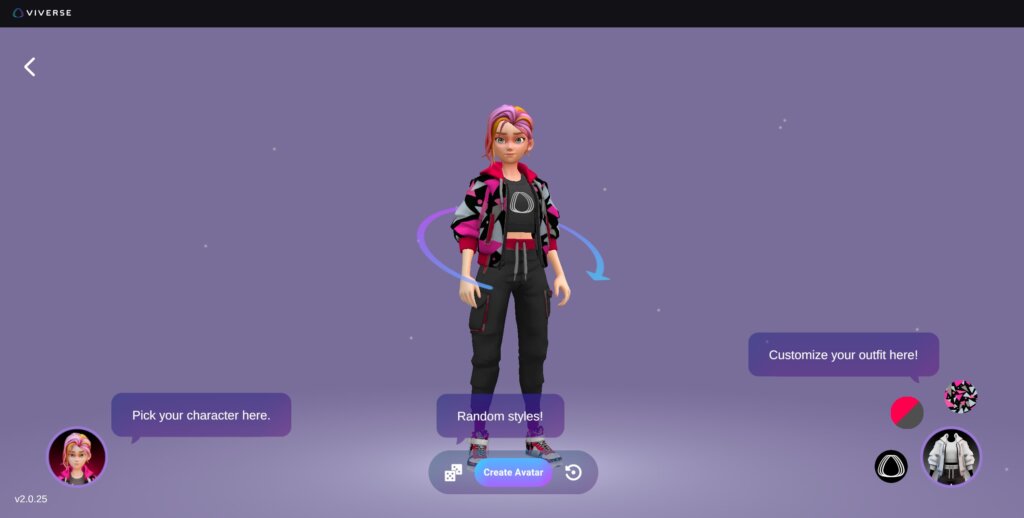
New User Interface for Stylized Avatars
- Stylized avatars now have their own creator tool. Users can customize VIVERSE designed outfits with color adjustments or upload their own patterns. This offers a new level of creative freedom for players who want a look that stands out while staying true to the stylized aesthetic.
Marketplace Updates

The Marketplace expanded this month with multiple new content drops. Users can now redeem:
- three avatar collections
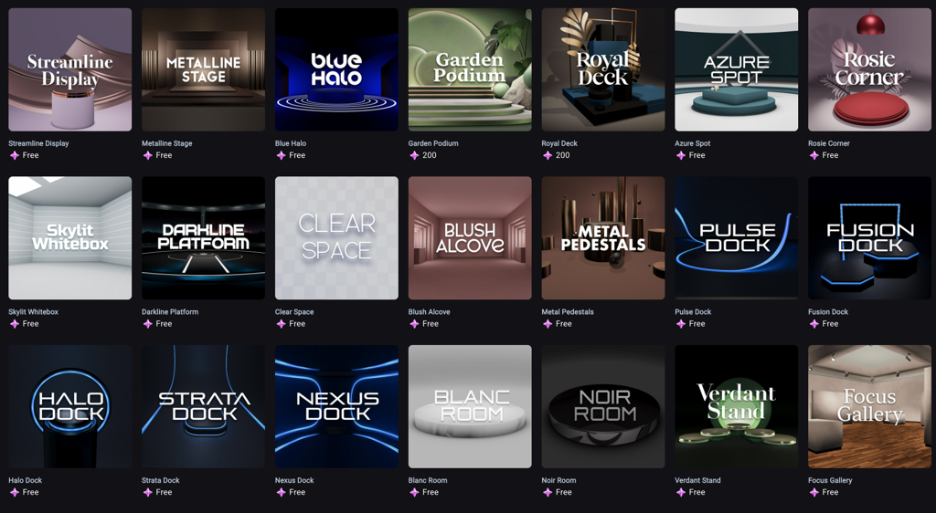
- one world template collection
- one set of 3D models
These additions give explorers and creators more ready-to-use content for both personal style and world building.
3D Ecommerce Improvements
New Scene Templates
Both Design and Transparent showroom templates are now available for creators who want a polished starting point for product showcases or immersive layout design. The Showcase Starter Collection is also available through the Marketplace.
Enhanced Showroom Features
The VIVERSE Showroom continues to evolve as a zero-code/no-code creation tool for creators and brands. Updates this month include improvements to edit and view modes across scene types.
Designed Scenes now support:
- Best position slots for object placement
- Multiple built-in camera options including default and orbit
- Polygon streaming asset linking
- Hotspot visibility inside edit mode
- No media support
Transparent Scenes now support:
- Custom cameras
- Custom camera carousels with auto play
Note: MWC multiple camera hierarchy remains fully backward compatible.
Community and Platform Features
VIVERSE can now deliver system-wide notifications. This gives all users a clearer way to receive platform announcements and feature updates from within their account.
Polygon Streaming Updates
- Unity SDK 3.1.3 – The updated SDK includes refinements to mesh handling and improvements to the virtual bounding box. This results in better visualization and more stable resource management for streamed models of all sizes. Need help with Unity?
- PlayCanvas SDK 2.6.5 – This release includes minor bug fixes to improve overall stability.
Learn more about Polygon Streaming in our VIVERSE documentation.
World Updates
- PlayCanvas 2.12.0 – World creators using PlayCanvas now have support for SOG files.
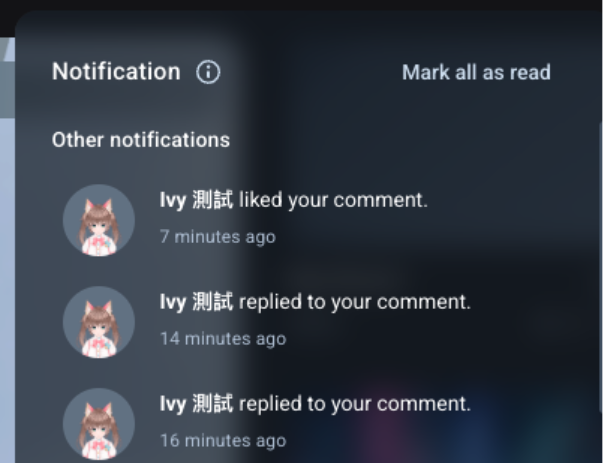
- Comment Notification Bell – Users can now receive alerts when someone comments on their world, likes their comment, or replies to a thread.
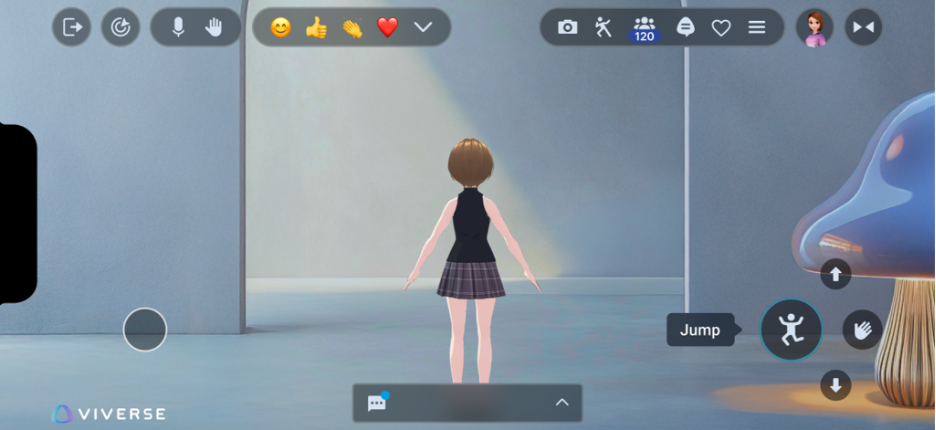
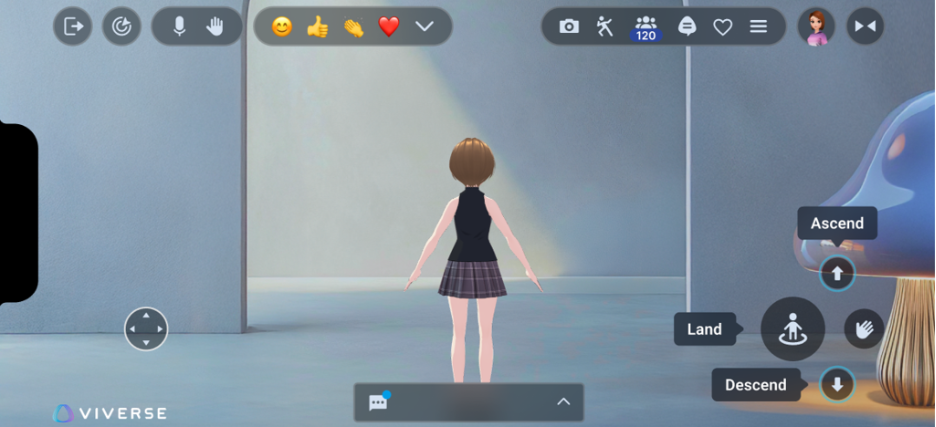
- Updated In World Tutorials (Touch Devices Only) – Touch screen users will now see refreshed on-screen control tutorials when entering a world.
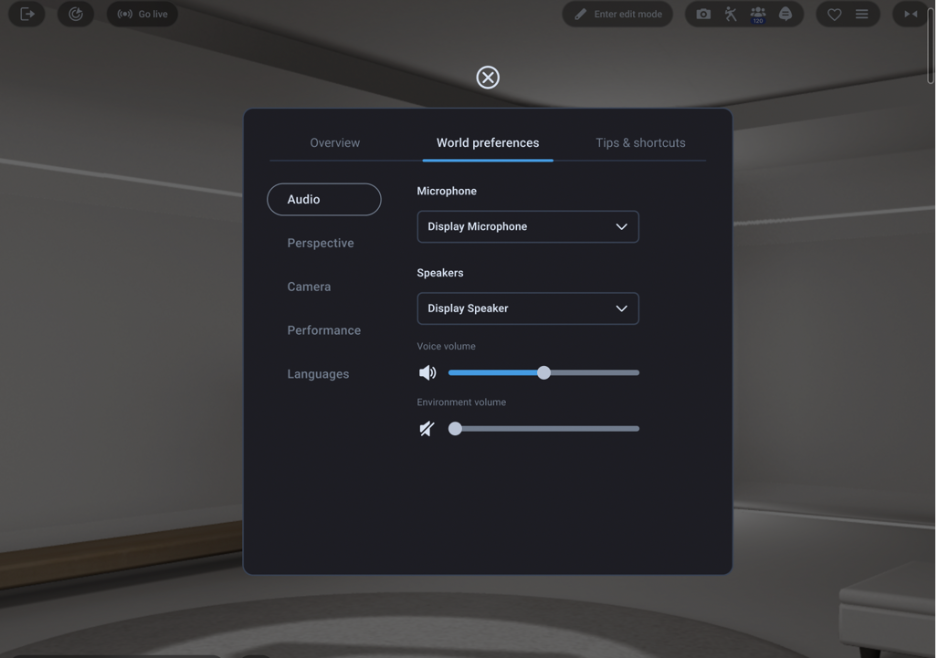
Audio Settings Improvements
You can now update microphone input, speaker output, and volume levels directly through your in-World settings menu.
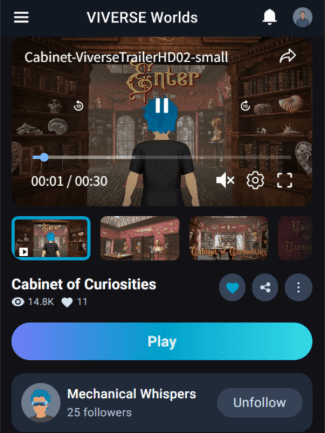
Mobile Updates for Content Page
The Play button was repositioned higher to improve visibility and make content easier to start on mobile devices.
How to Access All These Updates
Open VIVERSE in your browser at viverse.com, sign in, and explore. World creators can find updated tools inside their creation platform of choice, and players will see new interface improvements the next time they enter a world or visit the Marketplace.
Join the Community
Have thoughts about this month’s updates or want to share what you’re building? Drop into the VIVERSE Discord community. We would love to see your projects, answer creator questions, and highlight innovative worlds and avatars from across the platform.