Unleash the Magic: Bring Real Objects into VIVERSE with KIRI

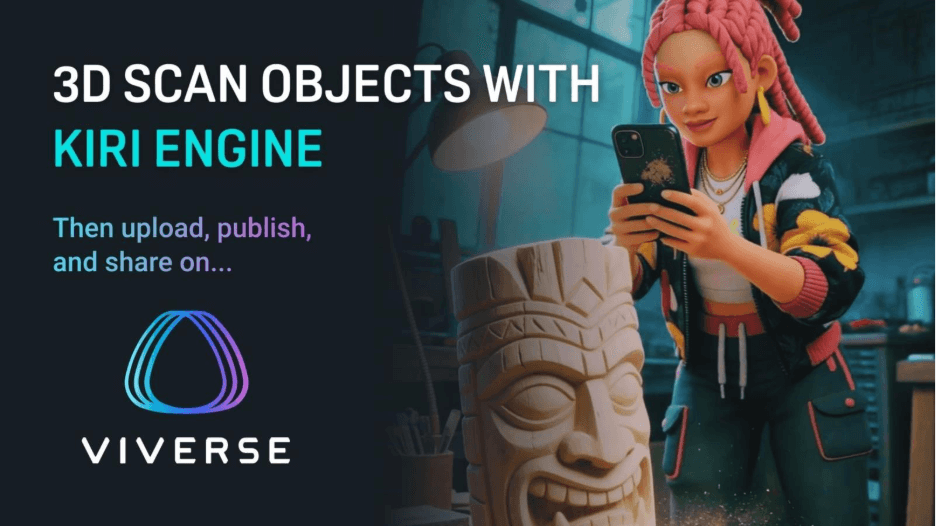
We love seeing creators turn real-world objects into digital art, game props, or full exhibitions. So we’re excited to team up with the KIRI Engine crew to bring simple, high-quality 3D scanning for VIVERSE to anyone who wants to build their own interactive space. KIRI Engine turns photos or videos into detailed 3D models right on your phone. We even highlighted it as our top pick in our recently updated roundup of the best 3D scanner apps for creators on iPhone and Android devices. Now those scans slide easily into VIVERSE Worlds.
That means you can scan something with your phone, upload it to VIVERSE, build a scene around it, and share that world with a link. No installs. No game engine. No stress.
Just capture, upload, create, and publish!
Why we think this match-up is awesome
KIRI Engine brings fast, high quality 3D reconstruction to your pocket. You get photogrammetry, featureless mode, 3D Gaussian splatting, clean exports, and models that look great inside VIVERSE Worlds. You scan it, KIRI builds it, and you walk away with a model that is ready for a browser-based 3D experience.
VIVERSE steps in as the place where your scan becomes something people can explore. Drop your model into a gallery, place it in a rooftop hangout, or build a tiny diorama around a personal object.
We see this workflow as a simple way for creators to bring real objects into 3D spaces, and our Head of Growth, Andranik Aslanyan, shared that vision clearly:
“Creators want fast, accurate tools that let them bring the real world into immersive experiences. KIRI Engine is one of the most powerful mobile scanning apps available today. Collaborating with KIRI showcases how easy it is to capture an object and immediately publish it to VIVERSE—no game engine or complex tools required – you just need a phone, and a link.”
KIRI Engine’s mesh exports also give creators more flexibility when they want even better performance inside VIVERSE Worlds. If you are working with larger or highly detailed scans, you can use Polygon Streaming on VIVERSE to optimize and deliver models in a lightweight format that loads quickly. It’s a great way to keep your worlds responsive without losing detail, especially if your scene has multiple scanned objects or more complex environments.
The workflow in four steps
Spoiler: it’s really simple.
Scan something cool with KIRI Engine
Capture your object however you like. KIRI Engine handles the heavy lifting with its reconstruction tools. Once the model is ready, export it to your preferred format.
If you need help scanning with KIRI, they have a robust tutorial playlist on their website and YouTube channel to help answer your scanning questions. Make sure to check those out!
Build your World
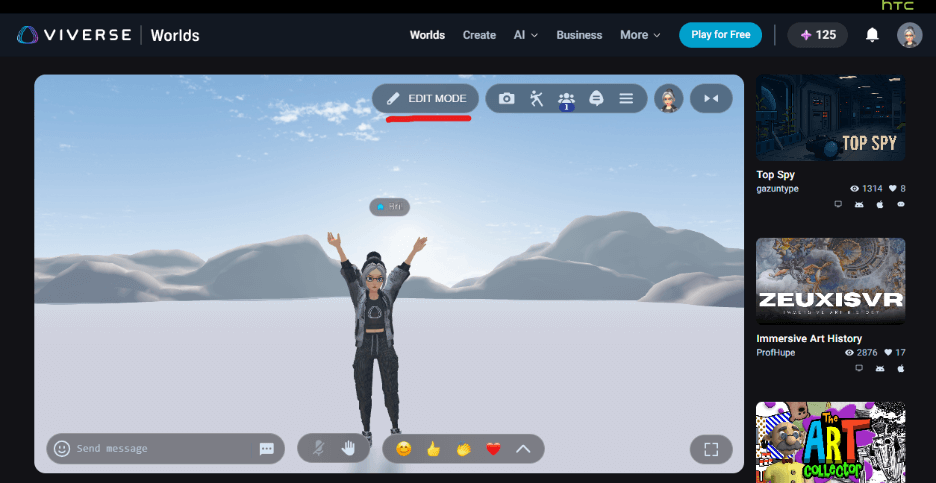
Head over to VIVERSE Studio and start a new world. Pick a template that fits your purpose or vibe. Then, click on the world you created to visit and enter Edit Mode.
Upload your 3D scan
Use Edit Mode to upload your files. We support GLB, VRM, PLY, SOG, and other common media formats, so you have loads of room to experiment!
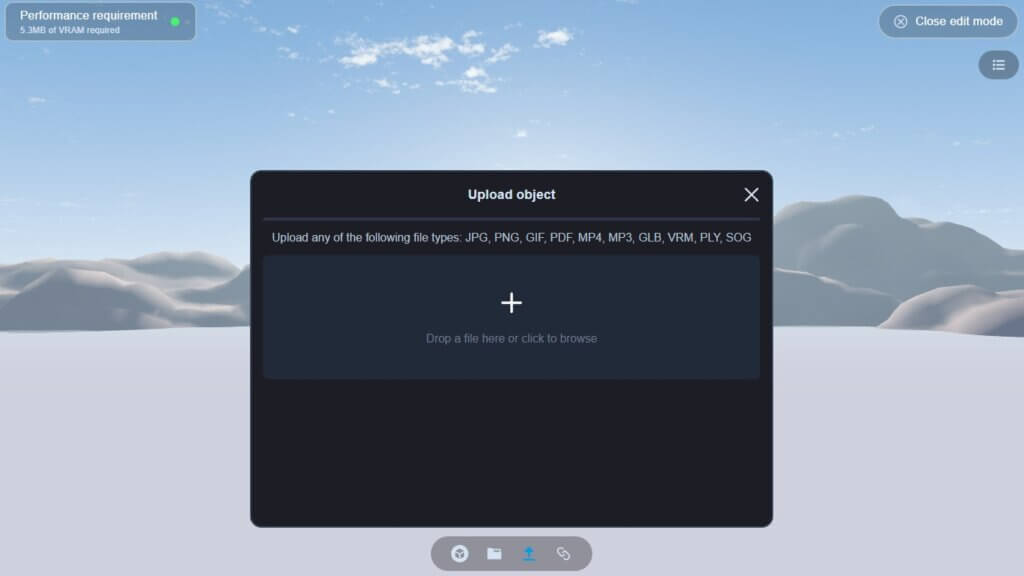
Place your scan anywhere in the scene, then tweak the scale, rotation, and the overall look until it’s right. When you’re happy, save your changes, adjust the privacy level of the world, then copy your World link and share. So easy!
Share it everywhere
Your VIVERSE World works on mobile and desktop devices. So long as they have access to a browser with internet, anyone with the link can jump in without installing anything.
Examples of Scans turned World
Creators have already used KIRI Engine scans to build unique and immersive scenes on VIVERSE. Here are a few worlds that show how a single scanned object or location can become…well, more.
KIRI Showcase: BMW K 1600 GTL
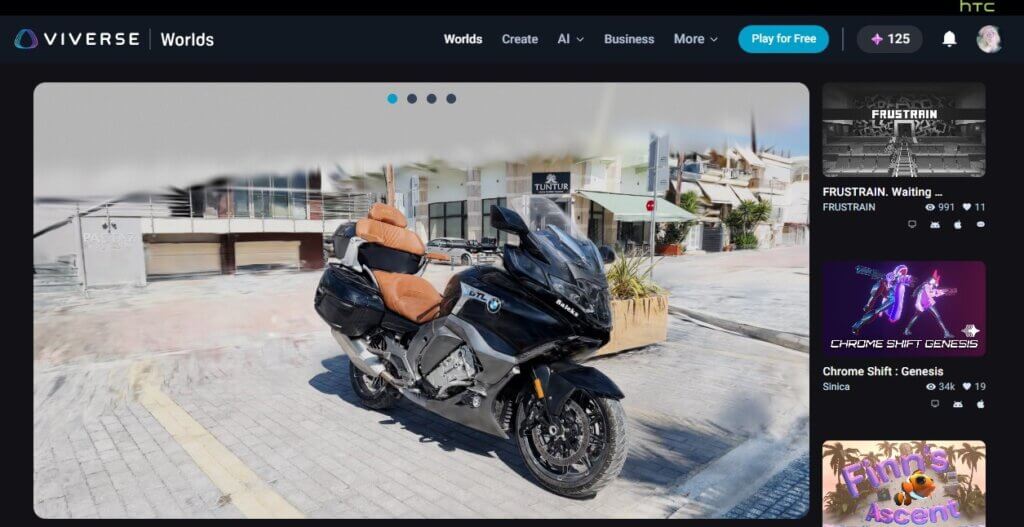
Explore the iconic touring motorcycle in incredible detail. This world lets you see multiple views of the BMW K 1600 GTL and appreciate the craftsmanship behind its 6-cylinder design and luxury engineering.
Check out the KIRI Showcase: BMW K 1600 GTL on VIVERSE!
KIRI Showcase: Sacred Spaces
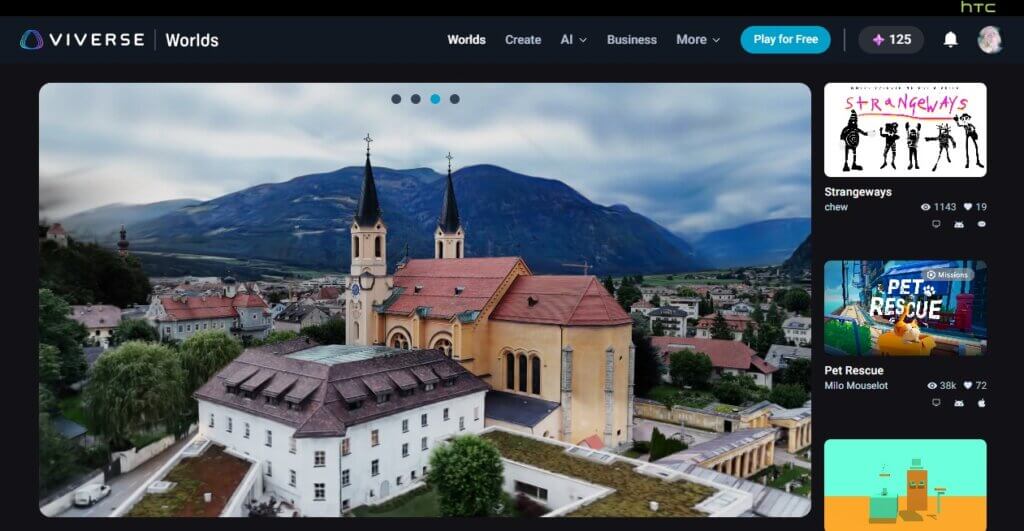
Take a virtual architectural tour around a beautiful church with striking bell towers and sweeping rooftop views. The detailed scan captures both the scale and the serenity of the space.
Explore the KIRI Showcase: Scared Spaces on VIVERSE!
KIRI Showcase: Sculpture Garden
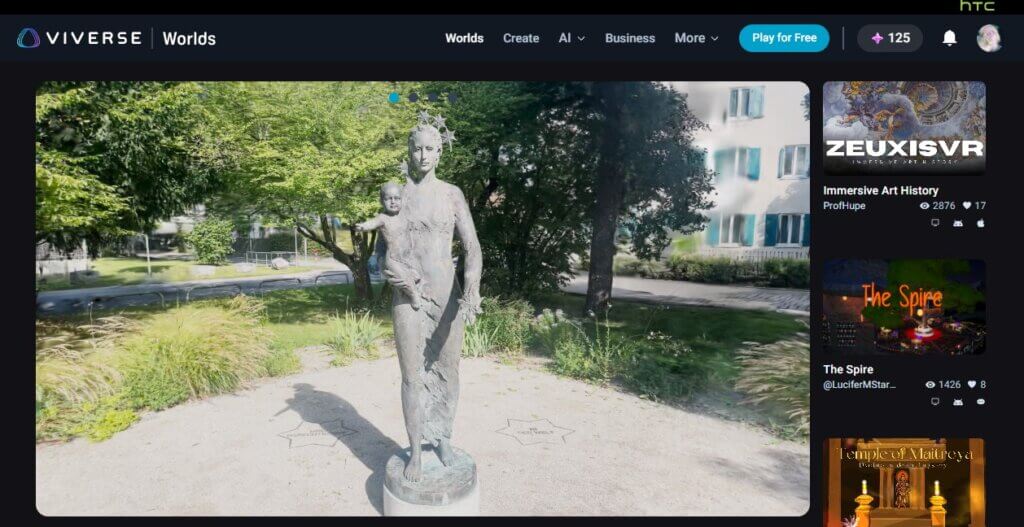
Step into a peaceful outdoor garden and explore a striking sculpture set among lush greenery. It is a calm and reflective environment that shows how scanned art can shine inside a natural scene.
Visit the KIRI Showcase: Sculpture Garden on VIVERSE!
What this unlocks for creators
The KIRI team sees creators moving quickly from scans to full scenes, and co-founder Jacky Wang summed it up well:
“With VIVERSE, creators can take their scans from personal assets to fully immersive experiences. Our collaboration shows what’s possible when cutting-edge scanning meets a truly open, accessible 3D distribution platform.”
High fidelity 3D creation used to be expensive and slow. This collaboration flips that idea around. KIRI Engine makes scanning accessible and fast. VIVERSE gives you a home for your models where people can explore your work as a full 3D experience.
It is a great setup for product displays, collectibles, props, art pieces, reference scans, and anything else you want to bring from the real world into a digital one.
A more open 3D ecosystem
We’ve been opening up VIVERSE to more 3D tools all year. Bringing KIRI Engine into the mix gives creators a clean, direct way to turn real-world capture into interactive scenes. You choose what to scan, how to present it, and how you want others to explore it.
Whether you are scanning a meaningful object, building a showcase for clients, or recreating something for a game idea, 3D scanning for VIVERSE gives you an easy end-to-end workflow.
Show us what you’re making
If you try the KIRI Engine workflow, we would love to see the worlds you build. Share them with us on socials or in the VIVERSE Discord. We highlight creator stories every week.
Ready to try it?
Scan your objects, export the result(s), then bring them into VIVERSE as an asset or World.
Get started at https://create.viverse.com/ today!