How to Promote a Browser Game and Get More Players



Publishing your game is only half the job. (The easy half, if we’re being honest.) The next challenge is learning how to promote a browser game and get more players.
They have a major advantage. Players can open them through a link, with no download or install required. That makes them easier to share than many traditional games.
But easy access doesn’t guarantee traffic. You still need a clear listing, strong visuals, regular updates, and smart distribution.
This guide explains how to grow an indie game audience online. It also shows how platforms like VIVERSE can support discovery, sharing, and monetization.
Make Your Game Easy to Understand at First Glance
Players decide quickly. If they don’t understand your game in a few seconds, they may leave. So, your first goal is simple. Make the game easy to understand before someone clicks play.
Use a Clear Thumbnail
Your thumbnail is often the first thing players see, before your clever title, before your carefully worded description, before any of the stuff you spent hours on. It should show what kind of experience you made.
Use a strong gameplay image, a clear character moment, or a memorable scene. Avoid tiny text, cluttered layouts, or generic artwork.
The best thumbnail answers one question fast: “What will I do in this game?”
Write a Direct Title
A good title is easy to remember and easy to share. It shouldn’t be too long or too vague.
If your game has a unique mechanic, genre, or world, make that clear. Players should have a reason to click.
Explain the Game Quickly
Your description should start with the player action. Tell people what they do, what makes it fun, and why they should try it.
Avoid opening with backstory only. Most new players need the core idea first. (Save the lore drop for players who already love you.)
For example, say whether the player explores, races, solves puzzles, builds, fights, creates, or competes.
Clear, simple descriptions just make your game easier to find, for players and platforms alike.
Use Shareable Links to Reduce Friction
These games are easier to promote when they’re easy to open. A direct link can remove several steps between interest and play.
You can send players straight to the experience. They don’t need to download an app first.
That matters because every extra step can lose people. Downloads, installs, signups, and platform switches can slow momentum.
A simple browser link is useful for:
- Friends and testers
- Community posts
- Press outreach
- Creator portfolios
- Newsletters
- Social campaigns
- Online forums
- Event pages
This doesn’t mean every player will stay. Your game still needs to be fun, clear, and stable, right? But a shareable link, though, makes the first click much easier.
Embed Your Game Where Your Audience Already Is
Here’s the fun part: browser distribution means your game can travel across the web.
Instead of sending every player to one destination, you can bring the game closer to where your audience already spends time.
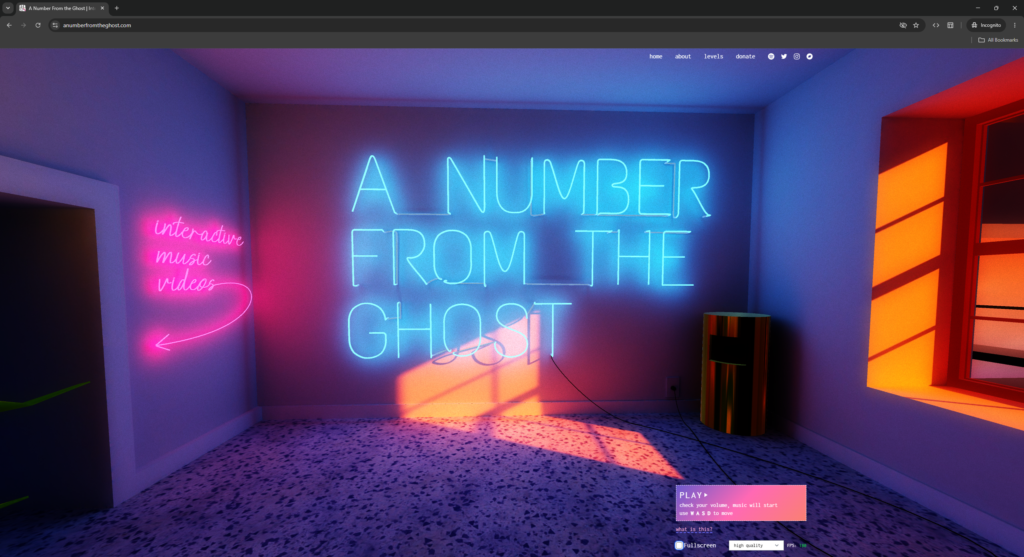
You can embed web game experiences on:
- Personal websites
- Studio pages
- Creator portfolios
- Blogs
- Community pages
- Online event pages
That can put your game in front of players who might never stumble onto your platform page.
Embedding also makes your game feel like it’s actually part of your world, not some separate destination. A player can read about the project, view screenshots, and launch the experience from the same place.
This is especially handy early on. Send people to a polished page that explains the game and lets them play right away.
As discussed in Bigger than ever: Web games are the ultimate opportunity, browser-based games can reduce friction between discovery and play.
Build a Simple Promotion Loop
Promotion works best when it becomes a repeatable loop. You shouldn’t rely on one launch post to carry the entire game, tempting as it is to post once and go quiet for three months while you “focus on development.”
A simple loop can help you keep momentum over time.
Share Progress Before Launch
Start showing the game before it is finished. Share short clips, screenshots, test builds, or development notes. (Yes, even the buggy ones. Especially the buggy ones, honestly. People love watching a game come together.)
Early sharing helps players understand the project. It also gives you feedback before launch.
Launch With a Clear Hook
When you launch, make the core hook obvious. Tell players why the game is worth opening now.
A good launch post should include:
- The game link
- A short description
- A strong visual
- The main player action
- Device or control notes
- A reason to try it today
Do not make players work to understand the game. Put the most important details first.
Keep Sharing After Launch
Many creators stop promoting after the first announcement. That’s a mistake.
You can keep sharing updates, new levels, bug fixes, events, creator notes, and player reactions.
Each update gives people another reason to click.
Publish Updates That Bring Players Back
Getting new players matters. Bringing players back matters too.
Returning players can help build long-term engagement. They can also support browser game monetization opportunities over time.
Updates don’t always need to be large. Small improvements can still show that the project is active. (Even a patch note that just says “fixed the thing everyone complained about” kind of counts.)
Useful updates can include:
- New levels
- New environments
- Better controls
- Performance improvements
- Seasonal events
- Bug fixes
- New multiplayer features
- Visual updates
- New challenges
When you update your game, tell players what changed. Explain why they should return.
This gives you another reason to share the game link. It also helps existing players feel like the project is alive.
Learn From Player Behavior
Promotion isn’t only about getting clicks. It’s also about learning what happens after people arrive.
Look for patterns in player feedback. Are people confused by the controls? Are they leaving before the main gameplay starts? Are they asking for mobile support?
Use that information to improve the game and its listing.
You can also learn from comments, messages, community posts, and playtest sessions.
Ask simple questions:
- Do players understand the game quickly?
- Do they know how to start?
- Do they know what makes it different?
- Do they want to share it?
- Do they have a reason to come back?
Better promotion often starts with better clarity.
Use Monetization Without Blocking Discovery
Monetization can support your game, but it shouldn’t make discovery harder.
For web games, access is one of the biggest strengths. Players are more likely to try something when the first step is simple.
So, think of monetization in layers. Free access can help new players try the experience. Premium features, subscriptions, or supporter options can help the engaged players support the creator.
VIVERSE offers monetization paths through the Partner Program. It also supports premium titles and channel subscriptions through beta features.
The Partner Program pays out based on player engagement. It’s also non-exclusive, so creators can keep publishing elsewhere.
The key is balance. Do not make new players feel blocked before they understand the value of your game.
Consider Funding to Improve the Game
Sometimes the best way to get more players is to improve the project itself. Funding can help creators polish art, improve performance, add content, or finish a stronger release.
VIVERSE Creator Grants provide pre-publication funding for selected creators. The program supports new projects, active games, and porting work.
Creator Grants are competitive. They aren’t guaranteed for every project. Still, they can be useful for creators who need support to build, finish, or bring a game to the web.
Study Games That Expanded Through the Browser
If you want to grow an indie game audience, study how other teams use browser distribution.
A browser version can make an existing game easier to share. It can also help players try the experience without installing anything first.
Alphaputt is one example. The team adapted an existing game for browser-based distribution through VIVERSE. That kind of move can add a new access point for players. It doesn’t need to replace other publishing channels. It can become another way for people to discover, open, and share the game.
Read the story here: How Alphaputt Ported their Award-Winning Mobile Game to the Web with VIVERSE.
How VIVERSE Can Support Browser Game Growth
VIVERSE is a web-based platform for games, apps, video content, VR art, and interactive experiences. Everything runs directly in a browser.
That means you can share your project with a single link. Players can open supported experiences without downloading separate software.
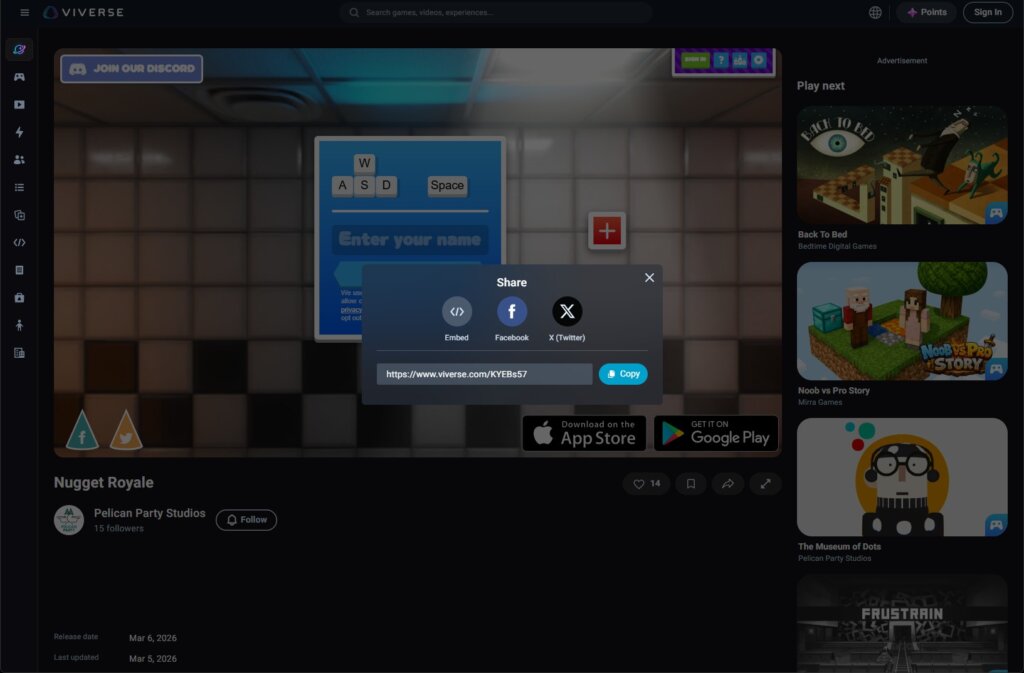
VIVERSE can support growth in several ways:
- Browser-based access
- Shareable URLs
- Embedding across the web
- Support for major web game engines
- Non-exclusive publishing
- Partner Program monetization
- Creator Grants funding opportunities
The important thing is flexibility. You can use VIVERSE as one piece of a bigger promotion strategy.
You don’t need to stop using your website, community, newsletter, or other channels. VIVERSE can be an added destination for browser-based distribution.
That makes it useful for creators who want a lower-friction way to share games online.
How to Promote a Browser Game and Get More Players?
- Learning how to promote a browser game starts with one idea: reduce friction.
- Make the game easy to understand. Make the link easy to share. Put the game where your audience already is.
- Then keep improving. Update the project, listen to players, and use each change as a new reason to share.
- VIVERSE fits right into that process, giving you a browser-based place to publish, share, embed, and monetize your work.
- Start publishing on VIVERSE
Frequently Asked Questions
Start by making the game easy to understand. Use a clear thumbnail, direct title, and short description. Then share the browser link across your website, communities, newsletters, and social channels.
Use the strengths of browser games. Share direct links, post short clips, embed the game on your website, and update often. A simple launch and update loop can help you build attention over time.
Yes. VIVERSE is non-exclusive. Creators can publish on VIVERSE while continuing to share their work on their own websites and other channels.
Embedding lets players open your game from places they already visit. You can place the experience on a portfolio, blog, community page, or project site. This can reduce friction and support discovery.
Yes, depending on the platform and model. Free access can help new players try the game. Monetization can then come from engagement-based programs, premium options, or subscriptions.
No. Creator Grants are competitive and selected by VIVERSE. They can support creators who are building, finishing, or porting projects, but they are not automatic.
Do not assume guaranteed promotion. Creators should still build their own distribution strategy. Strong listings, regular updates, and clear sharing can improve your chances of reaching more players.